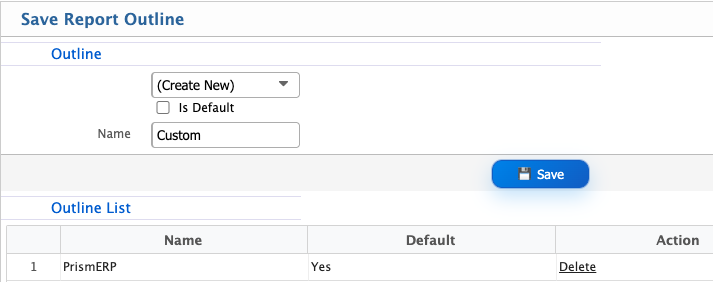
Report Outline
In PrismERP, the Report Outline feature is used to save and reuse different report layout configurations. After setting up the report configuration, page setup, header and footer settings, and signature details, users can save the entire setup as an outline for future use.To create an outline, users can configure all required report settings and then click the plus (+) icon beside the Outline tab. This action saves the current configuration as a reusable outline. Multiple outlines can be created and stored based on different reporting needs.
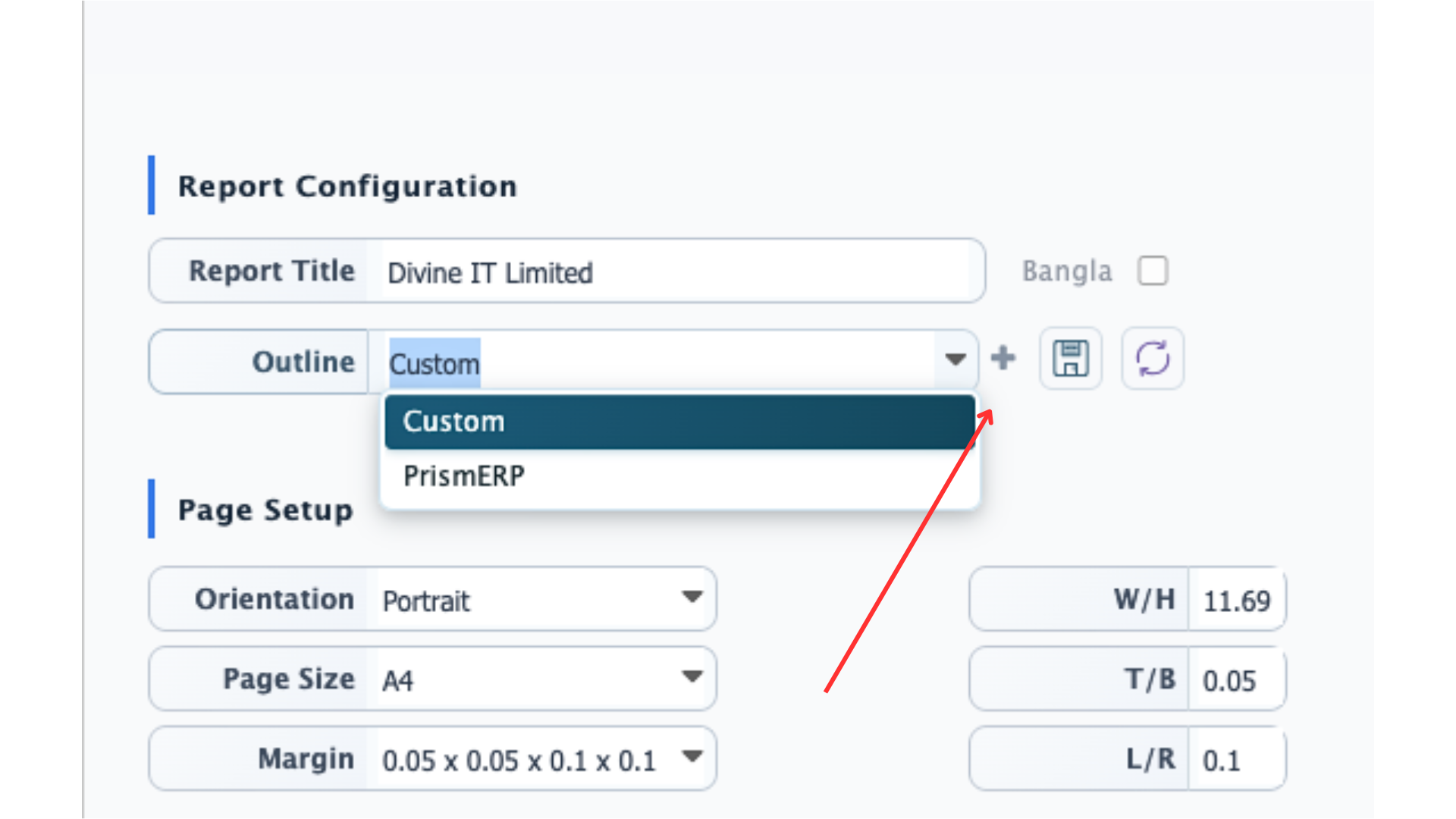
Once saved, users do not need to reconfigure the report every time. Instead, they can simply select a saved outline from the list, and the report will automatically be generated based on that predefined structure and layout.PrismERP also allows users to maintain multiple outlines for the same report. These outlines can differ in layout, page setup, header/footer design, or signature configuration. During report generation, users can choose any saved outline, and the system will render the report according to the selected format.Additionally, users can set one outline as the default outline. When a default is set, the system will automatically use that outline during report generation unless a different one is manually selected.