Product Availability for EMI Sale
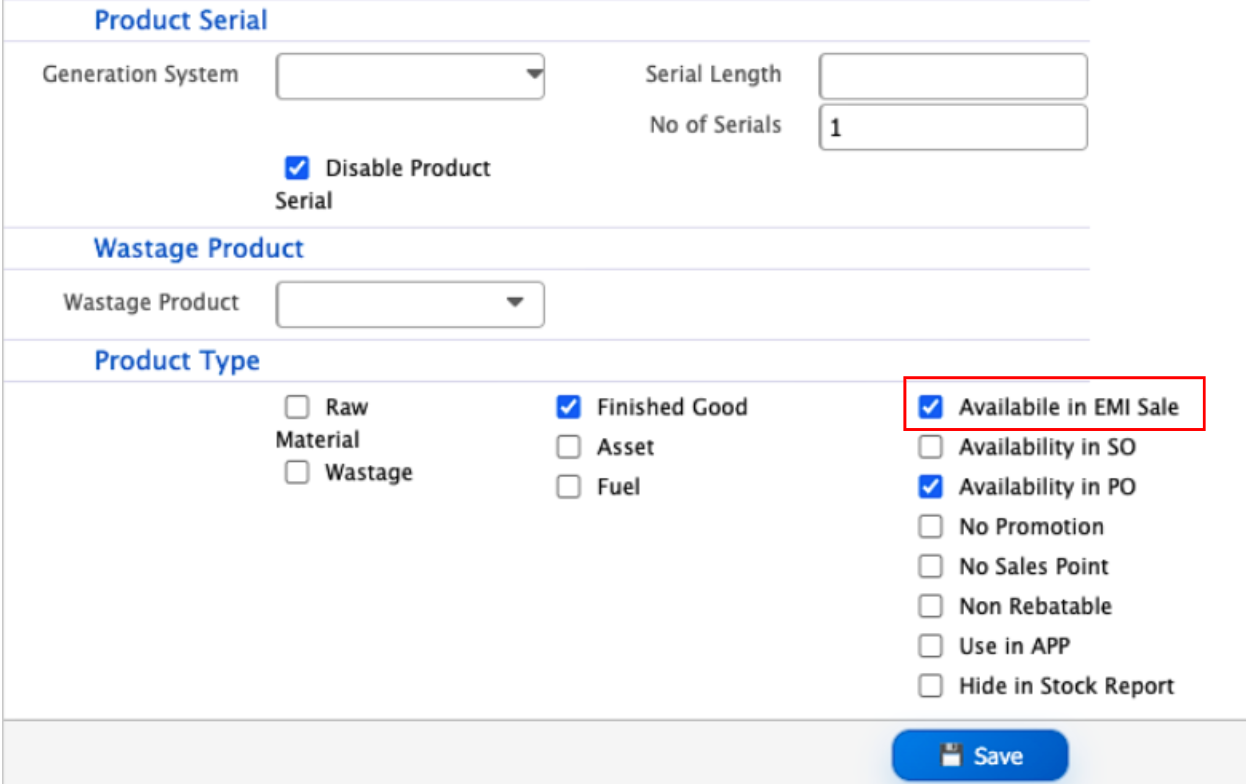
After configuring the EMI settings, products that will be sold through the hire sales process need to be marked as available for EMI sale. This option is available on the Product Details page.Users can enable the option while creating a new product or by editing the details of an existing product. In the Product Details page, select the Available in EMI Sale checkbox and save the product.Once the option is enabled, the product becomes available for selection in EMI-based hire sales. Products that are not marked as Available in EMI Sale will not be available for this type of sale.
EMI Settings
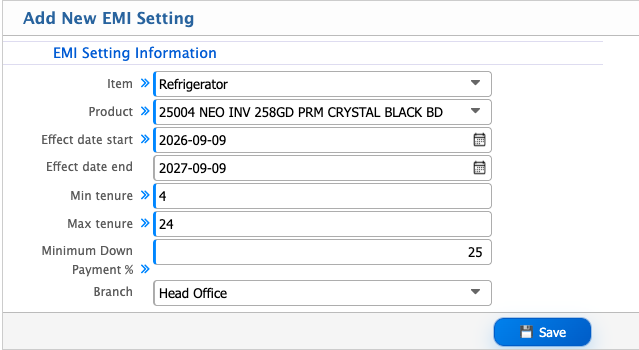
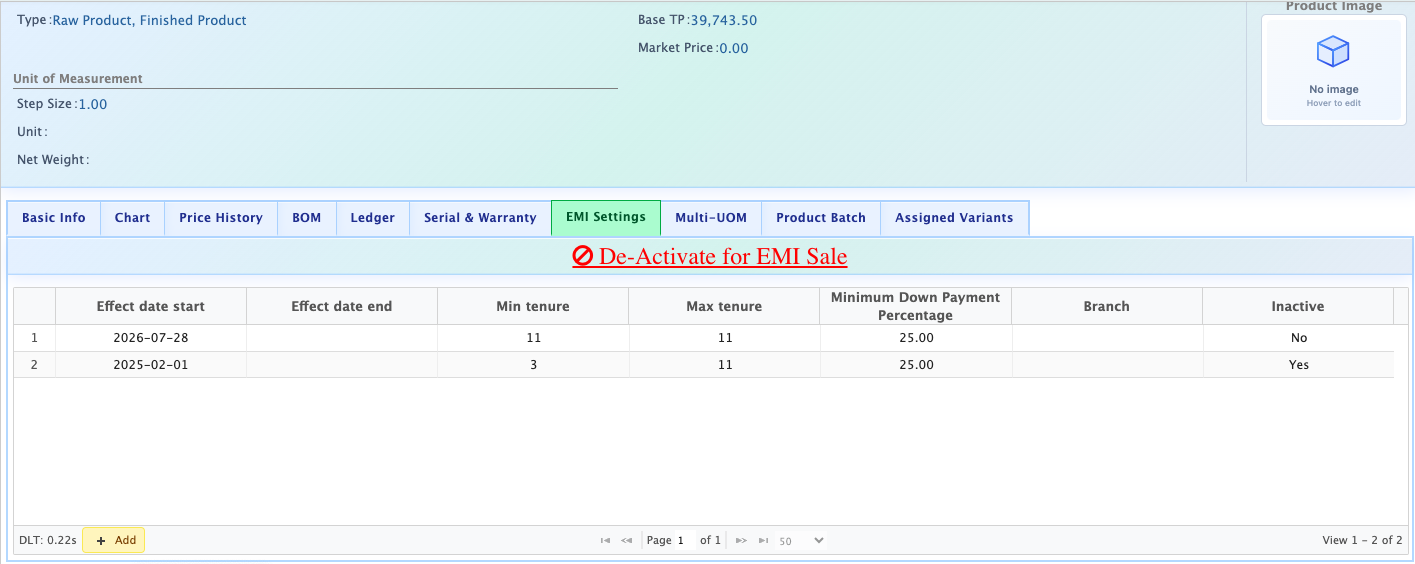
After the Available in EMI Sale option is enabled for a product, the EMI Settings tab appears on the Product Details page. Users can use this tab to define the EMI conditions applicable to the product.To add a new EMI setting, open the EMI Settings tab and click the Add button. The Add New EMI Setting form opens, where users can specify the product, effective period, applicable tenure range, minimum down payment, and branch.
| Field | Action |
|---|---|
| Item | Select the item for which the EMI setting will be configured. |
| Product | Select the product to which the EMI setting will apply. |
| Effect date start | Select the date from which the EMI setting will become effective. |
| Effect date end | Select the date until which the EMI setting will remain effective. |
| Min tenure | Enter the minimum tenure, in months, allowed for the product under EMI sale. |
| Max tenure | Enter the maximum tenure, in months, allowed for the product under EMI sale. |
| Minimum Down Payment % | Enter the minimum percentage of the product price that must be paid as a down payment. |
| Branch | Select the branch where the EMI setting will be applicable, or select --All-- to apply it to all branches. |