Hire Sale Operations
After adding the EMI settings for a product, users can navigate to the Sale Invoice (Hire) page to create an EMI-based hire sale. This page is specifically configured for hire sales and contains the required fields for recording the customer, product, payment, and EMI information.Users first enter the relevant sale information and add the product available for EMI sale. After adding the product, the user selects the required Tenure. Based on the selected tenure and the EMI settings configured for the product, PrismERP calculates the applicable Interest Rate, Paid Amount, Due Amount, EMI Interest Total, Total Hire Price, Hire Outstanding, and EMI Installment.
| Field | Action |
|---|---|
| Branch | Select the branch from which the hire sale is being made. |
| Party | Select the customer for the hire sale. |
| Invoice Date | Select the date of the hire sale invoice. |
| Due Date | Select the due date for the payment. |
| Center | Select the relevant center for the transaction. |
| Reference | Enter a reference for the hire sale, if required. |
| Sales Person | Select the salesperson responsible for the sale. |
| Inventory | Select the inventory from which the product will be issued. |
| Item/Dept. | Select the relevant item or department. |
| Item | Select the item category. |
| Product | Select the product to be sold through EMI. |
| Quantity | Enter the quantity to be sold. |
| Instruction | Enter any relevant instruction for the hire sale. |
| Instant Delivery | Enable this option when the product should be delivered instantly. |
| Auto Accept | Enable this option to automatically accept the transaction where applicable. |
| Add Card Info | Enable this option to add card information to the sale. |
| Tenure | Select the EMI tenure for the hire sale. The available tenure is based on the EMI settings configured for the product. |
| Cash/Bank | Select the cash or bank account through which the payment is received. |
| Int. Income | Select the account used to record interest income from the hire sale. |
| Terms & Condition | Enter the title and details of the terms and conditions applicable to the hire sale. |
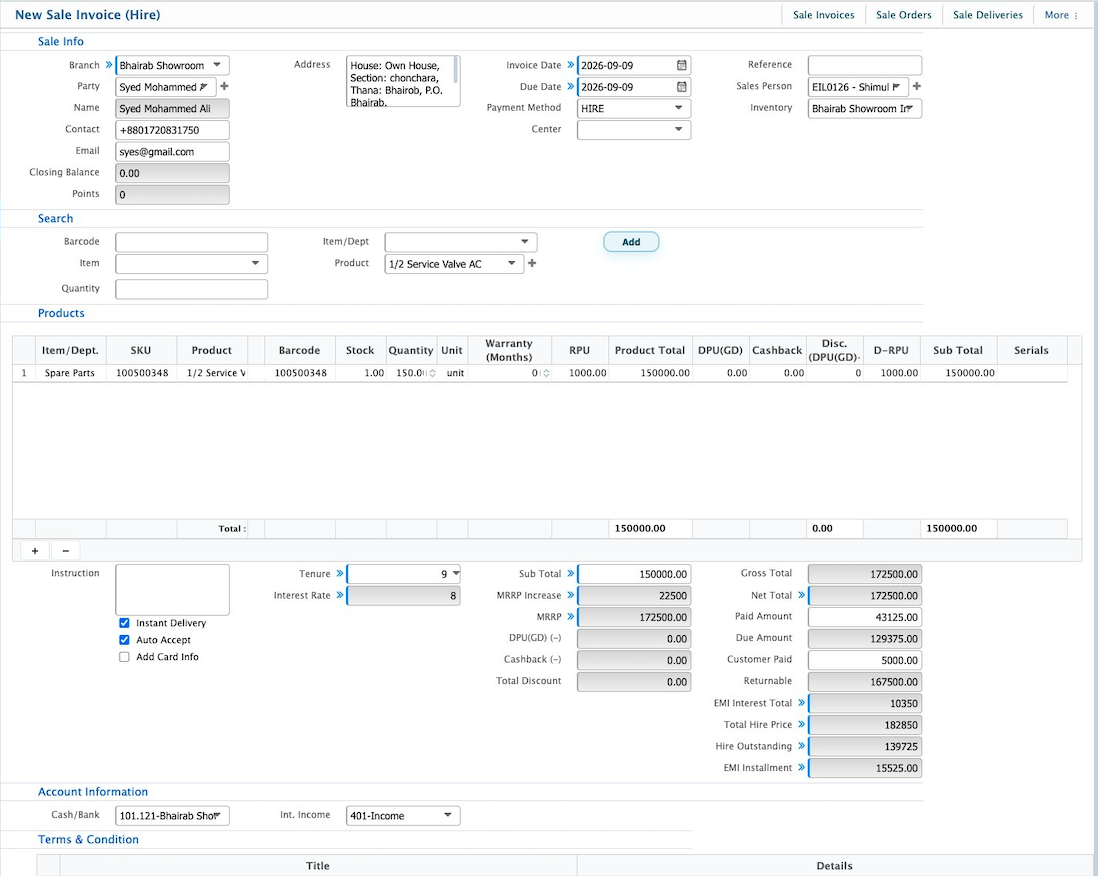
After completing the required information, the hire sale invoice can be saved and processed according to the configured EMI settings.
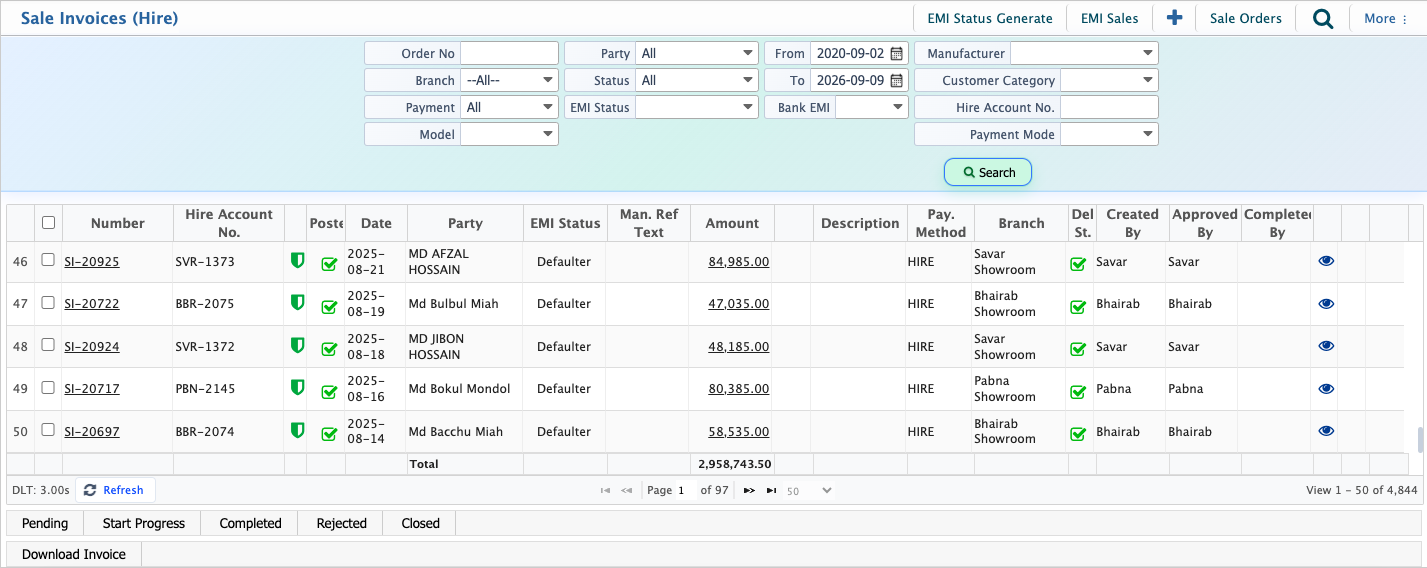
After creating hire sale invoices, users can view and manage them from the Sale Invoices (Hire) list page. The Sale Invoices (Hire) list allows users to search and filter hire sale invoices using different criteria, such as order number, branch, party, payment method, EMI status, date range, and hire account number. Users can select an invoice from the list to view its details and manage the transaction status. The status can be updated based on the sales process, such as Pending, In Progress, Completed, Rejected, or Closed.