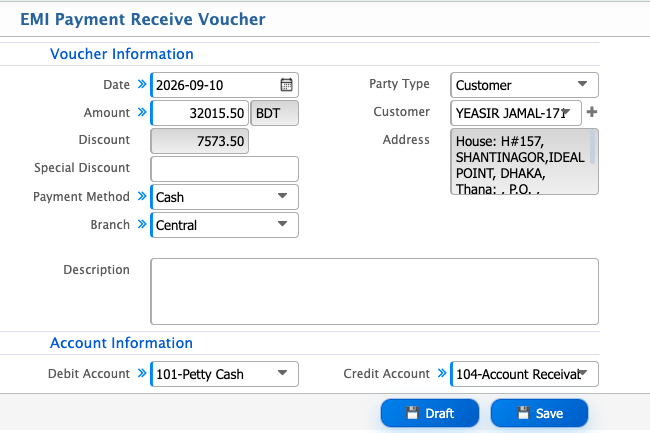
Generate EMI Schedule
After adding the hire sale invoice, users need to open the Sale Invoice Details page and click Generate Plan. PrismERP then generates the EMI schedule based on the configured tenure and payment terms.The generated schedule displays each installment's Schedule Date, Principal, Interest, Total, Total Payment, Balance, and Vouchers. Users can review the installment amount and remaining balance for each scheduled payment.
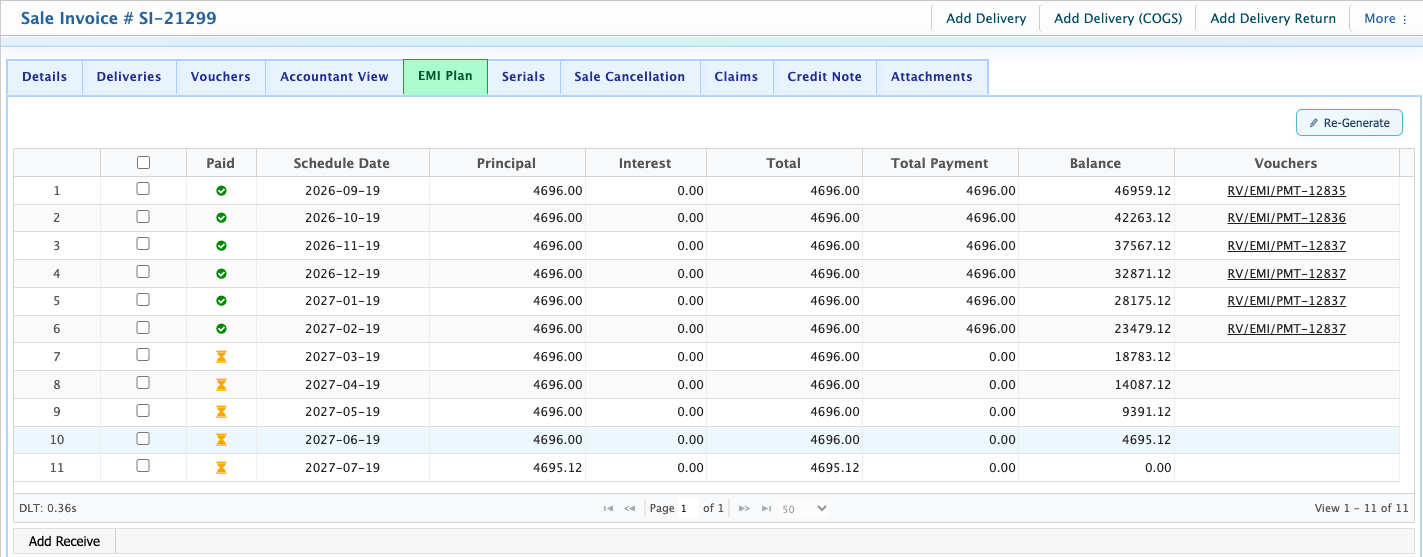
After generating the EMI schedule, users can click the required Schedule Date to open the payment details. From there, click Add Receive to record the payment received for that EMI installment.
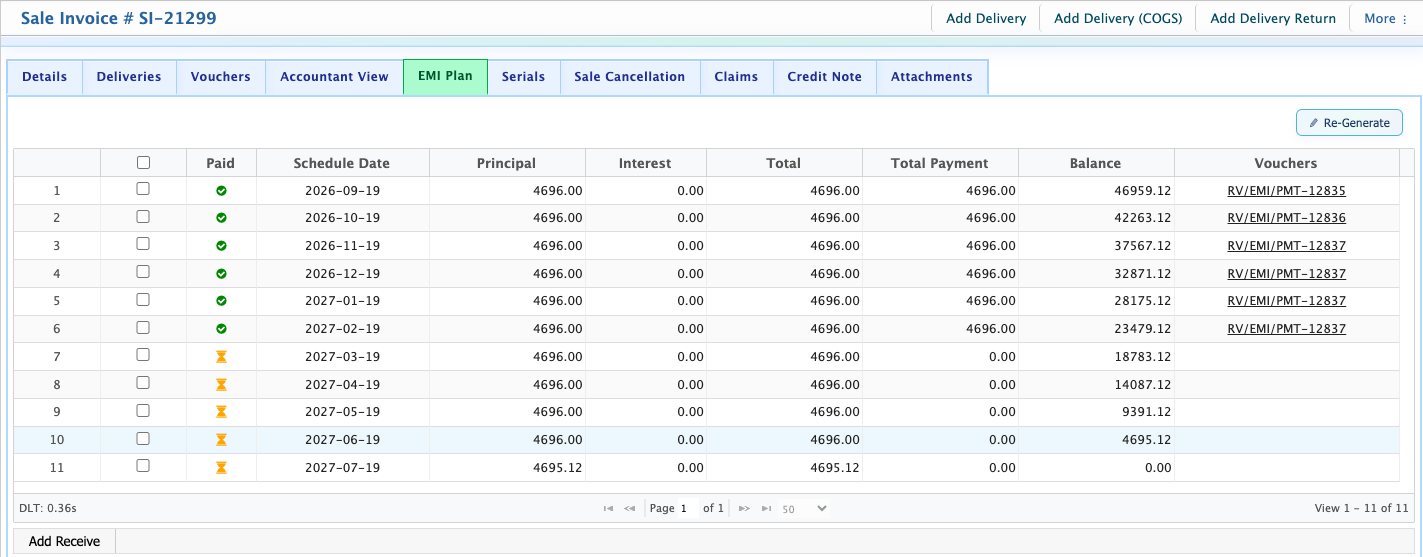
EMI Payment Receive Voucher
After clicking Add Receive for an EMI installment, the EMI Payment Receive Voucher form opens. Users can enter the payment details, select the customer and branch, and specify the accounts used for the transaction.
| Field | Action |
|---|---|
| Date | Select the date on which the EMI payment is received. |
| Amount | Enter the amount received from the customer. |
| Payment Method | Select the method used to receive the payment, such as Cash, Cheque, Bank Deposit, Card/MFS, bKash, BEFTN, RTGS, Rocket, Nagad, or other available methods. |
| Branch | Select the branch where the payment is received. |
| Party Type | Select Customer as the party type for the EMI payment. |
| Customer | Select the customer making the EMI payment. |
| Address | Enter or view the customer's address. |
| Description | Enter any relevant description for the payment. |
| Debit Account | Select the account to be debited for the received payment, such as Petty Cash. |
| Credit Account | Select the account to be credited, such as Account Receivable. |
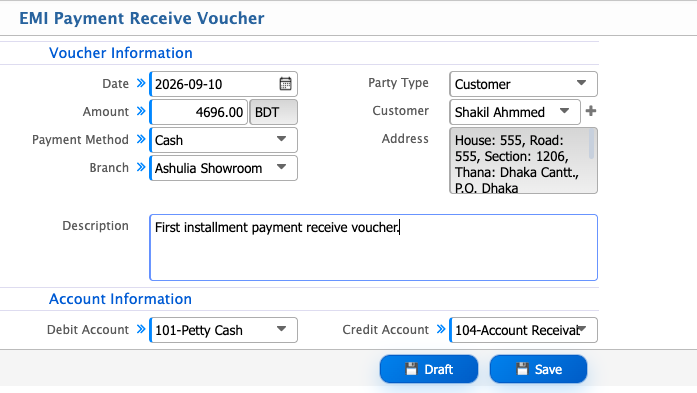
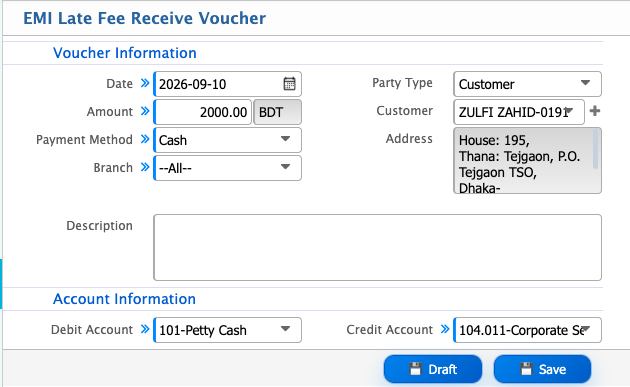
When a customer fails to pay an installment by the due date, PrismERP identifies the overdue installment and loads the customer’s defaulter information for late fee processing. When the payment voucher is added for the overdue installment, the applicable late fee is automatically added to the voucher along with the installment amount.
If a customer completes the installment payment before the scheduled payment date, PrismERP applies the early payment discount configured in the EMI settings. When the payment voucher is added, the applicable discount is automatically included in the voucher based on the configured EMI rules.