Export Invoice
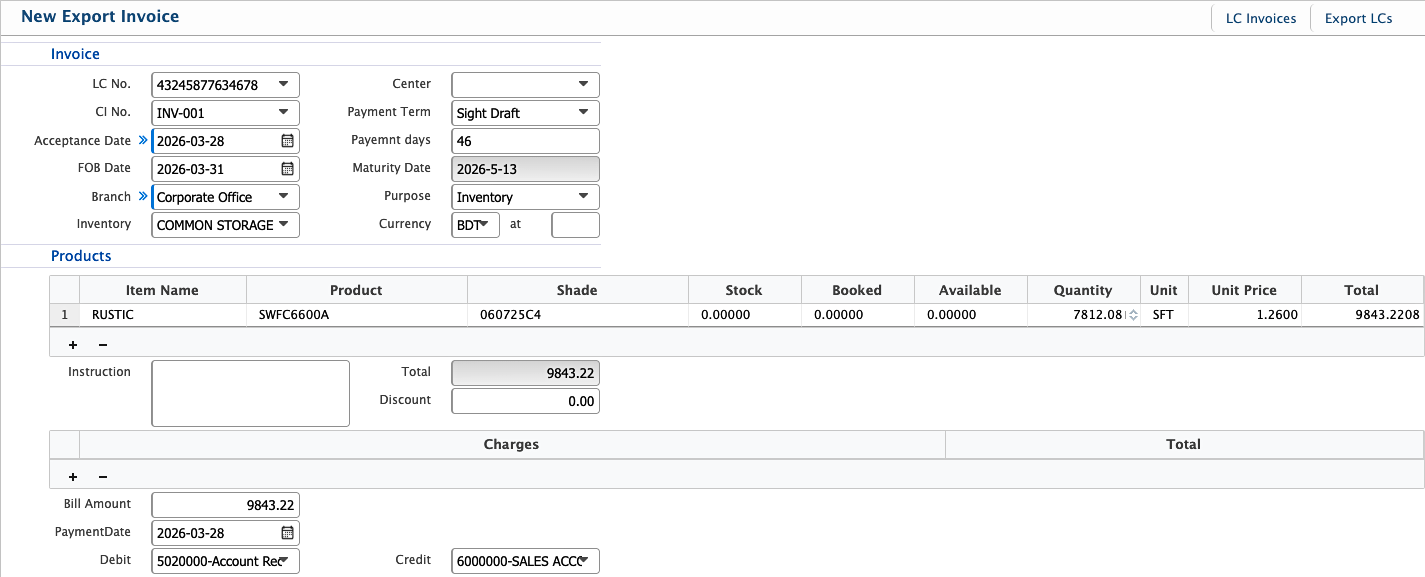
The Export Invoice feature in PrismERP is used to create invoices for export transactions based on LCs and Commercial Invoices. It records key details such as invoice references, dates, payment terms, product values, discounts, charges, and accounting information. The feature also captures payment schedules and links financial entries through debit and credit accounts.
Add Export Invoice
| Field | Action |
|---|---|
| Invoice LC No. | Select the LC associated with the export invoice. |
| CI No. | Select the related Commercial Invoice number. |
| Acceptance Date | Enter the date when the invoice is accepted. |
| FOB Date | Enter the Free On Board (FOB) date. |
| Branch | Select the branch responsible for the invoice. |
| Inventory | Select the inventory relevant to the invoice. |
| Center | Select the operational center for the transaction. |
| Payment Term | Select the payment terms for the invoice. |
| Payment Days | Enter the number of days for payment maturity. |
| Purpose | Enter the purpose of creating the export invoice. |
| Currency | Select the currency used for the invoice. |
| Instruction | Enter any instructions related to the invoice. |
| Discount | Enter any discount applied to the invoice. |
| Charges | Enter additional charges if applicable. |
| Payment Date | Enter the payment date. |
| Debit | Select the debit account. |
| Credit | Select the credit account. |
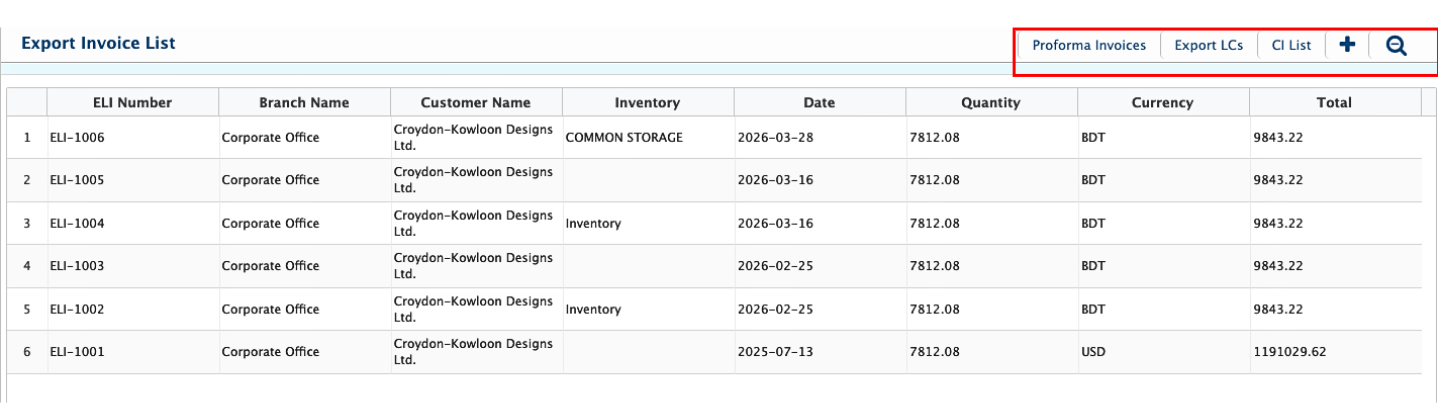
After adding an Export Invoice, users can view it from the Export Invoice List page. The list displays key information such as ELI Number, Branch Name, Customer Name, Inventory, Date, Quantity, Currency, and Total, allowing users to quickly review all records at a glance. Users can also add a new Export Invoice directly from the list page.