Pay grade
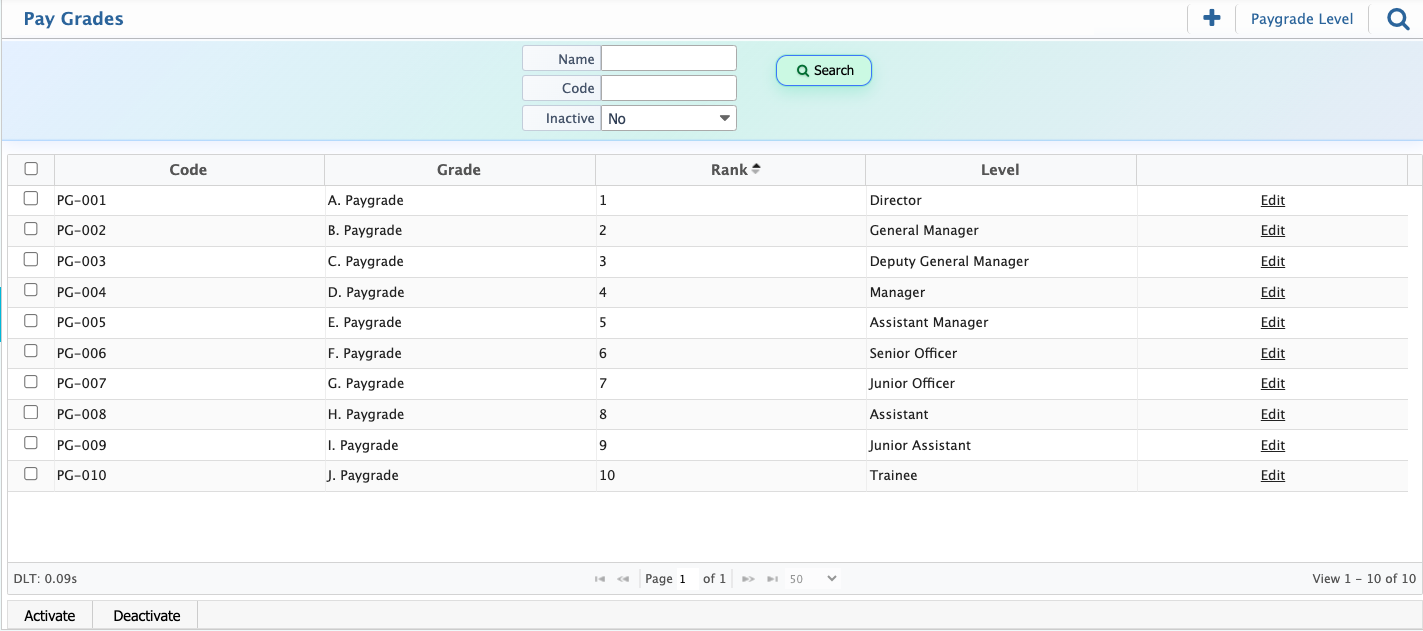
The Paygrade setup in PrismERP is used to build a clear salary structure that defines how employee pay levels are organized within an organization. It provides a way to arrange different compensation stages so that employee roles can be aligned with a consistent pay hierarchy used in payroll processing and payscale management.
This setup is completed in two steps. First, Paygrade Level is created to define the basic structure of levels in the system. After that, Paygrade is added to assign specific details such as name, code, rank, and level within that structure. These two parts work together to form a complete pay structure that is later used during salary configuration and employee mapping.
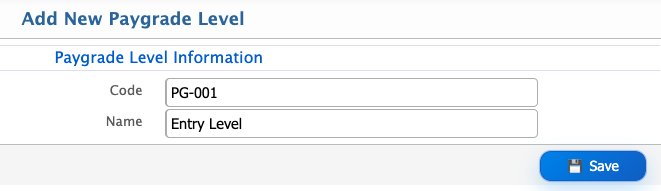
Add Paygrade Level
| Field | Action |
|---|---|
| Code | Enter a unique code to identify the paygrade level. |
| Name | Enter the name of the paygrade level for easy identification in the system. |
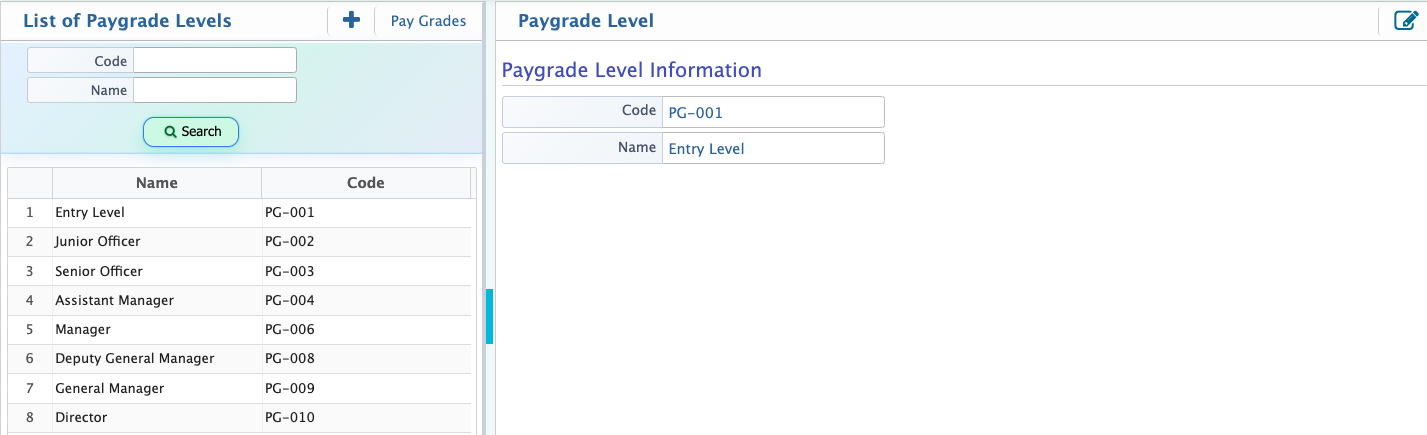
After a paygrade level is created in PrismERP, it will appear in the Paygrade Level List. From this list, users can view all created paygrade levels in one place along with their basic details such as code and name and can use the search abr to locate a specific one. Each entry can be accessed for further action, where users can edit the information if any changes are required.
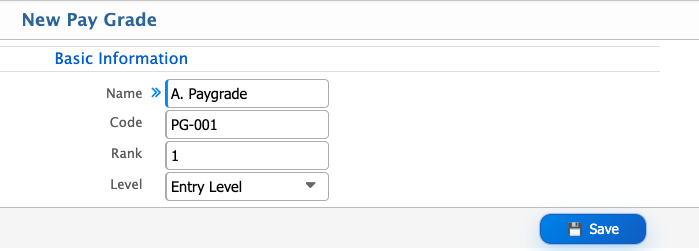
Add New Paygrade
| Field | Action |
|---|---|
| Name | Enter the name of the pay grade for identification. |
| Code | Enter a unique code to identify the pay grade. |
| Rank | Define the ranking position of the pay grade within the hierarchy. |
| Level | Assign the level of the pay grade to indicate its position in the structure. |
After a paygrade is created in PrismERP, it will appear in the Paygrade List, where users can easily see all paygrades along with their key details in one place. The list gives a quick overview of each paygrade, including its code, name, rank, and level. Users can also use the search panel to quickly find a specific paygrade when needed.
From this view, users can activate or deactivate any paygrade. When a paygrade is deactivated, it is removed from the active list and will no longer be available for use in related configurations.