Payroll Schedule
The Payroll Schedule in PrismERP is used to define how a specific payroll period will be handled. It brings together important details like the schedule name, date range, payment date, frequency, type, and the branches it applies to.
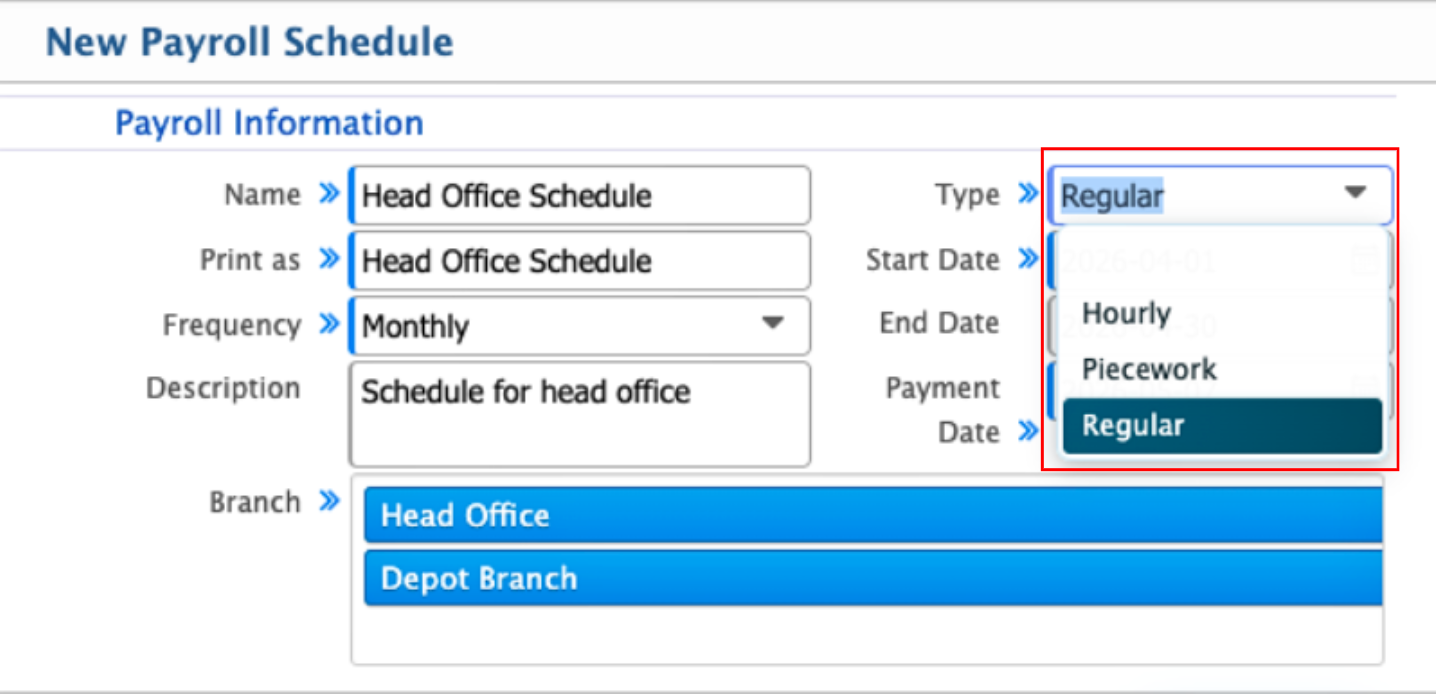
Each schedule is set up with a selected frequency-Daily, Weekly, or Monthly-and a type such as Hourly, Piece Work, or Regular. These settings determine how the payroll will be processed for the employees included in that schedule.
Once created, the payroll schedule becomes the working base for the entire payroll cycle. Users can assign employees, access schedule details, and carry out the required payroll steps within that defined period.
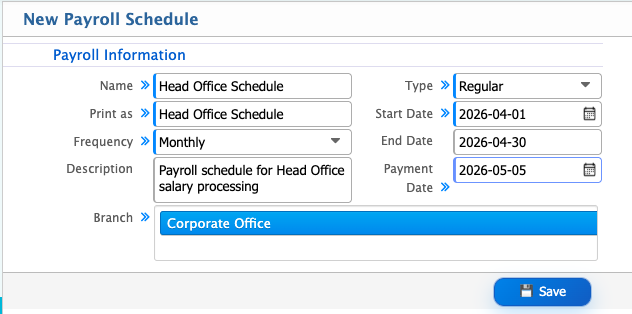
Add New Schedule
| Field | Action |
|---|---|
| Name | Enter a clear name to identify the payroll schedule. |
| Print as | Enter the label that will be shown in reports and payroll documents. |
| Frequency | Select how often the payroll will be processed (e.g., Monthly,Weekly). |
| Description | Enter additional details about the payroll schedule purpose. |
| Type | Select the payroll schedule type based on organizational setup (Hourly,regular). |
| Start Date | Select the starting date of the payroll period. |
| End Date | Select the ending date of the payroll period. |
| Payment Date | Select the date when salary payments will be made. |
| Branch | Select the branch where this payroll schedule will be applied. |
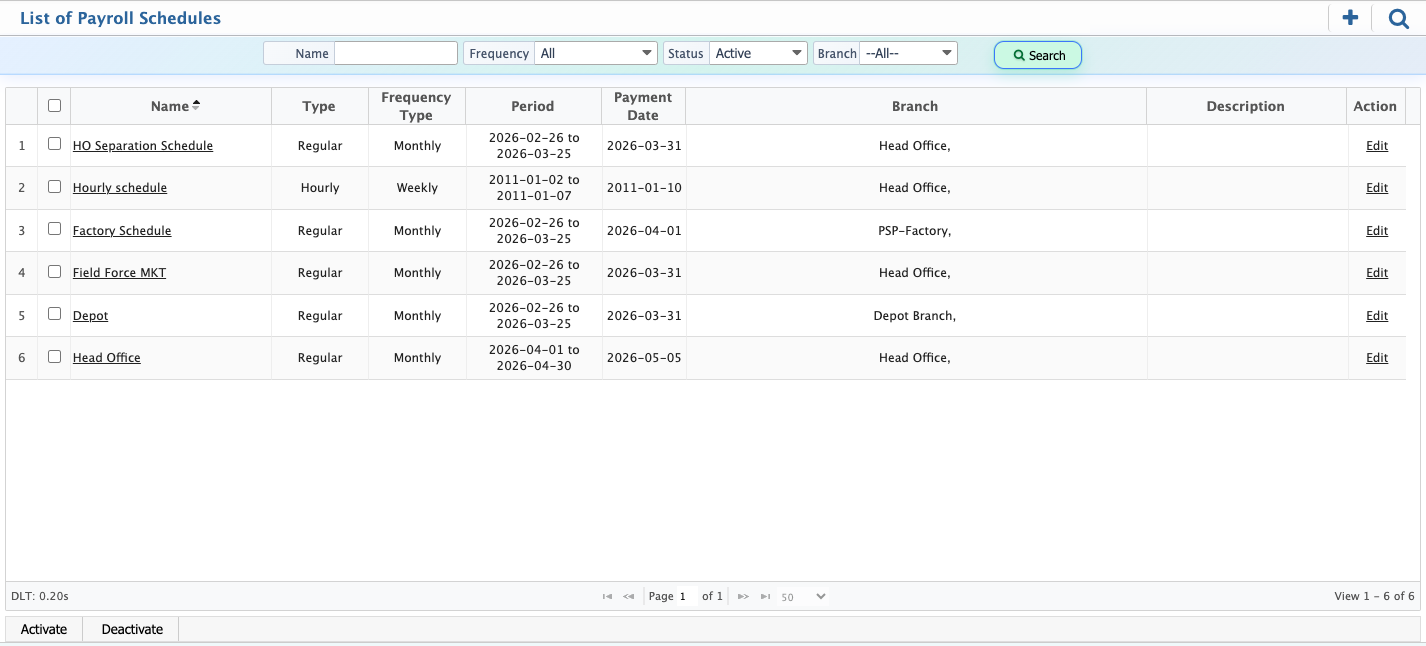
After a payroll schedule is created in PrismERP, it appears in the Payroll Schedule List, where users can view all schedules along with their key information at a glance. From this view, users can also activate or deactivate a schedule when required.When a user clicks on a schedule name, the system opens the details page, where users can view the payment information and the employees included under that payroll schedule.
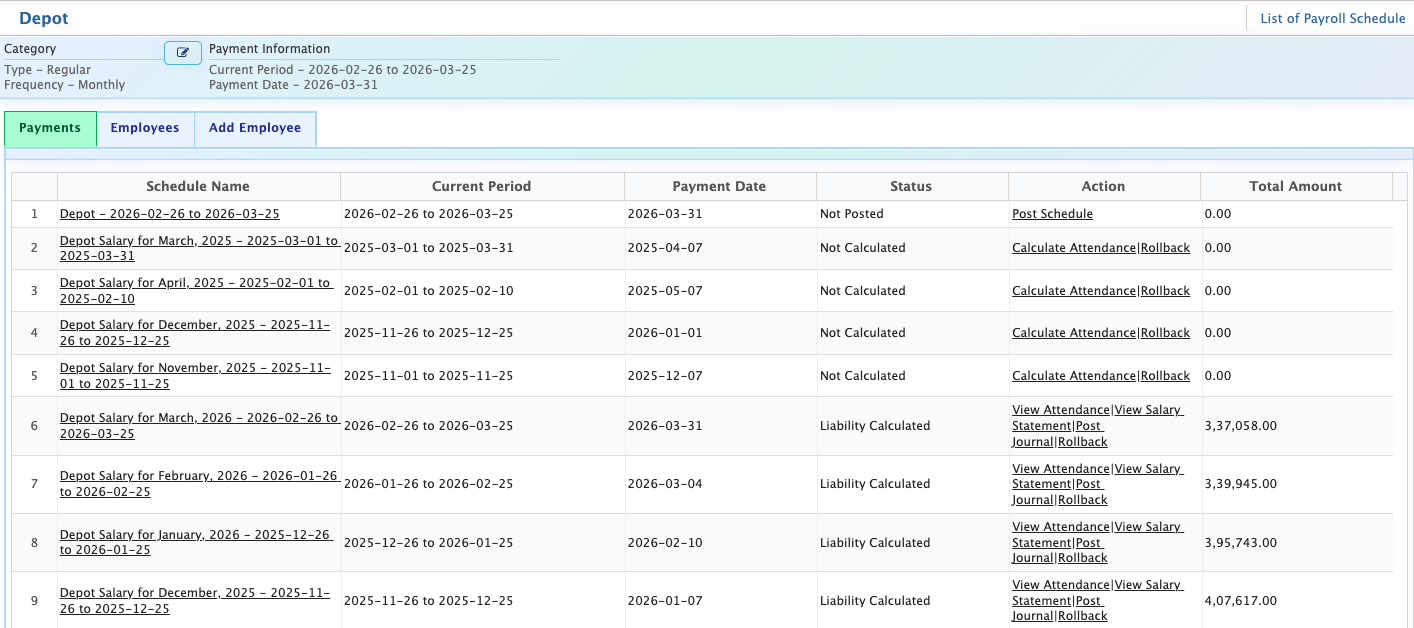
In the details page, users can view the full payroll schedule information, including the current period, payment schedule, payment date, and calculated salary amounts. From this view, users can also perform key payroll actions such as calculating attendance, viewing salary details, posting journal entries, and rolling back posted records when required.
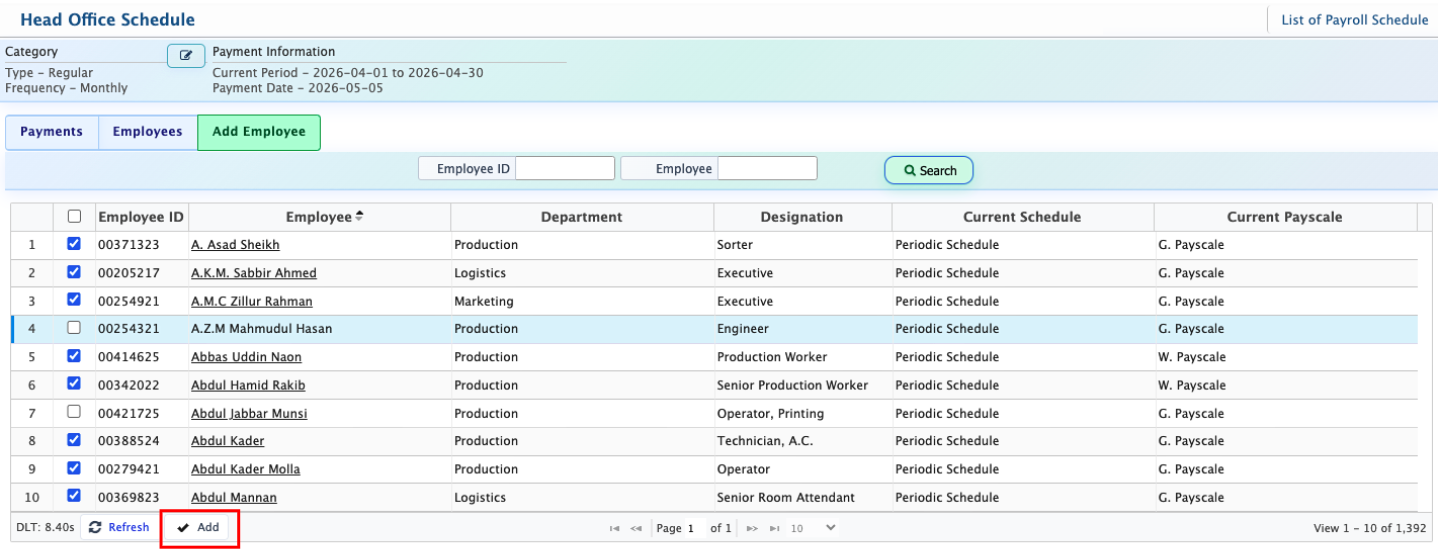
Users can also add employees to a payroll schedule from the Employee tab. From this tab, users select the required employees and click Add. Once added, those employees are assigned to the selected payroll schedule and included in the payroll processing under that schedule.
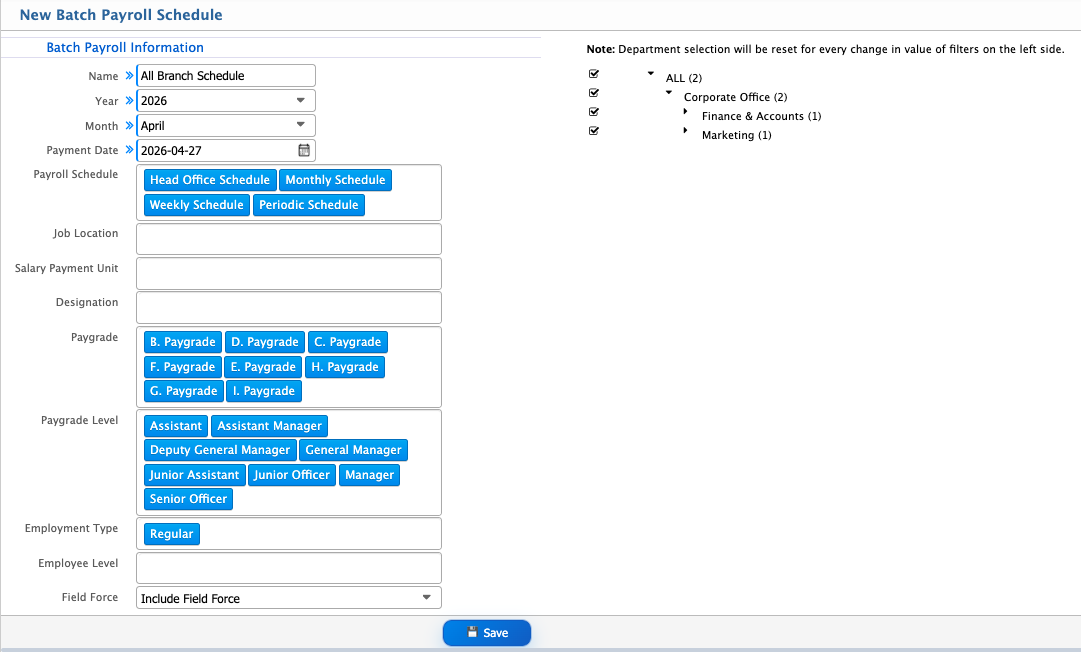
Batch Payroll Schedule
Users can also create a Batch Payroll Schedule by entering the required information such as batch name, payroll year, month, and payment date, along with selecting the relevant payroll schedule. During setup, users can define how employees will be grouped by applying multiple filters. The system updates the employee selection dynamically based on the applied filters, and the department selection is reset whenever any filter on the left side is changed.
| Field | Action |
|---|---|
| Name | Enter a clear and meaningful name to identify the batch payroll schedule for easy reference and future tracking. |
| Year | Select the payroll year for which the batch payroll is being created |
| Month | Select the specific month for the payroll cycle (e.g., April). |
| Payment Date | Select the scheduled date when the salary payments for this batch will be processed. |
| Payroll Schedule | Select the payroll schedule that will be used as the base for this batch payroll processing. |
| Job Location | Select the job location to define where the employees belong for this batch payroll. |
| Salary Payment Unit | Select the organizational unit responsible for handling the salary payment process. |
| Designation | Select the employee designation(s) that will be included in this batch payroll. |
| Paygrade | Select the paygrade to group employees under the defined salary structure. |
| Paygrade Level | Select the paygrade level to define the hierarchy within the selected pay structure. |
| Employment Type | Select the employment type to filter employees based on their working category. |
| Employee Level | Select the employee level to categorize employees within the organization structure. |
| Field Force | Select this option to include employees who are part of field operations or field-based roles. |
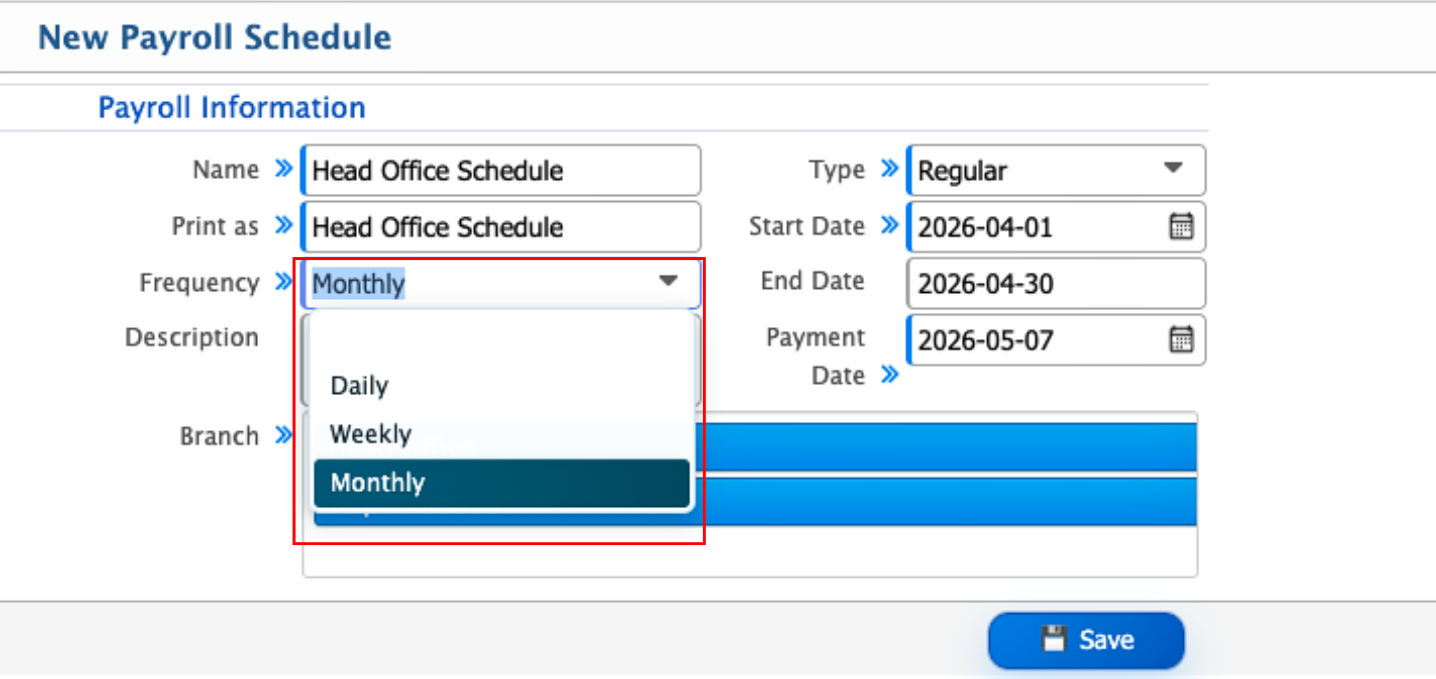
Payroll Schedule Frequency
Payroll schedules can be set based on how often salaries are processed. The system supports three types of frequency: Daily, where payroll is calculated and processed every day based on daily work and attendance; Weekly, where payroll is processed once every week by grouping employee attendance and work for seven days; and Monthly, where payroll is processed once a month based on the full monthly attendance and salary cycle.
Payroll Schedule Type
Payroll schedules can also be defined based on the type of employee compensation. The system supports three types: Hourly, where salary is calculated based on the number of hours worked; Piece Work, where payment is determined by the quantity of work or output produced; and Regular, where salary is processed based on a fixed structure for a defined payroll period.