Pay scale
The Pay Scale setup in PrismERP defines the structured salary ranges and pay grade hierarchy used in payroll configuration. It organizes how pay grades are positioned within salary bands and how they relate across the overall pay structure.
It also includes configuration for calculation types Fixed, Consolidated, and Based on Basic which define how salary values are structured, and increment types -Fixed and Variable which define how salary progression is applied within the pay scale.
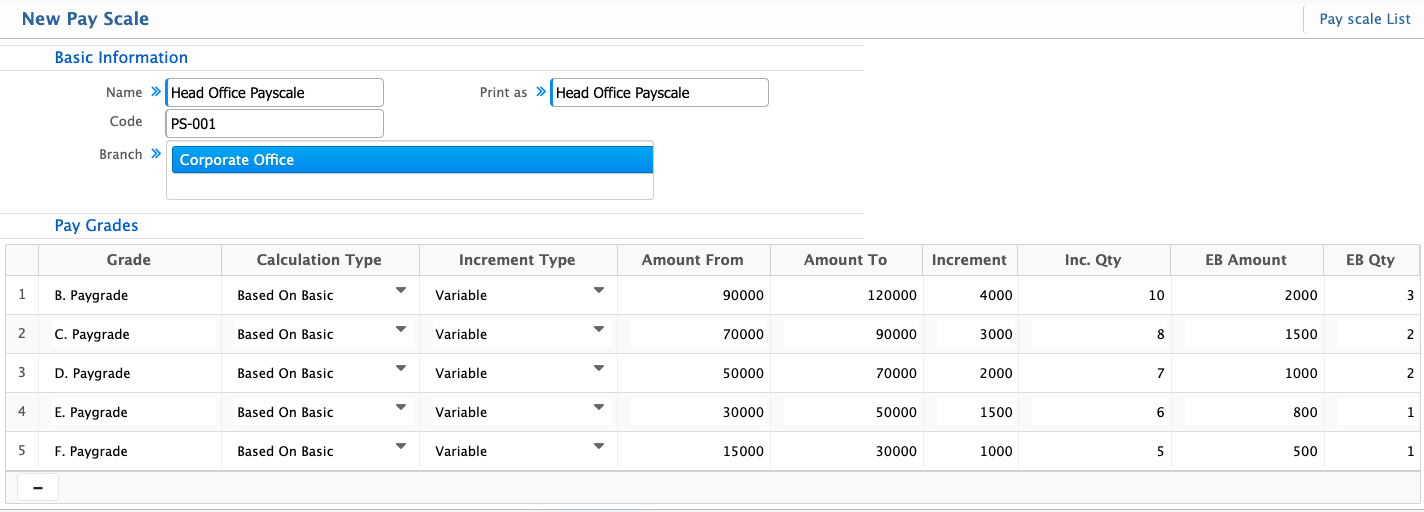
Users can define basic details such as name, code, print label, and applicable branches, along with assigning multiple pay grades, salary ranges, and increment rules.
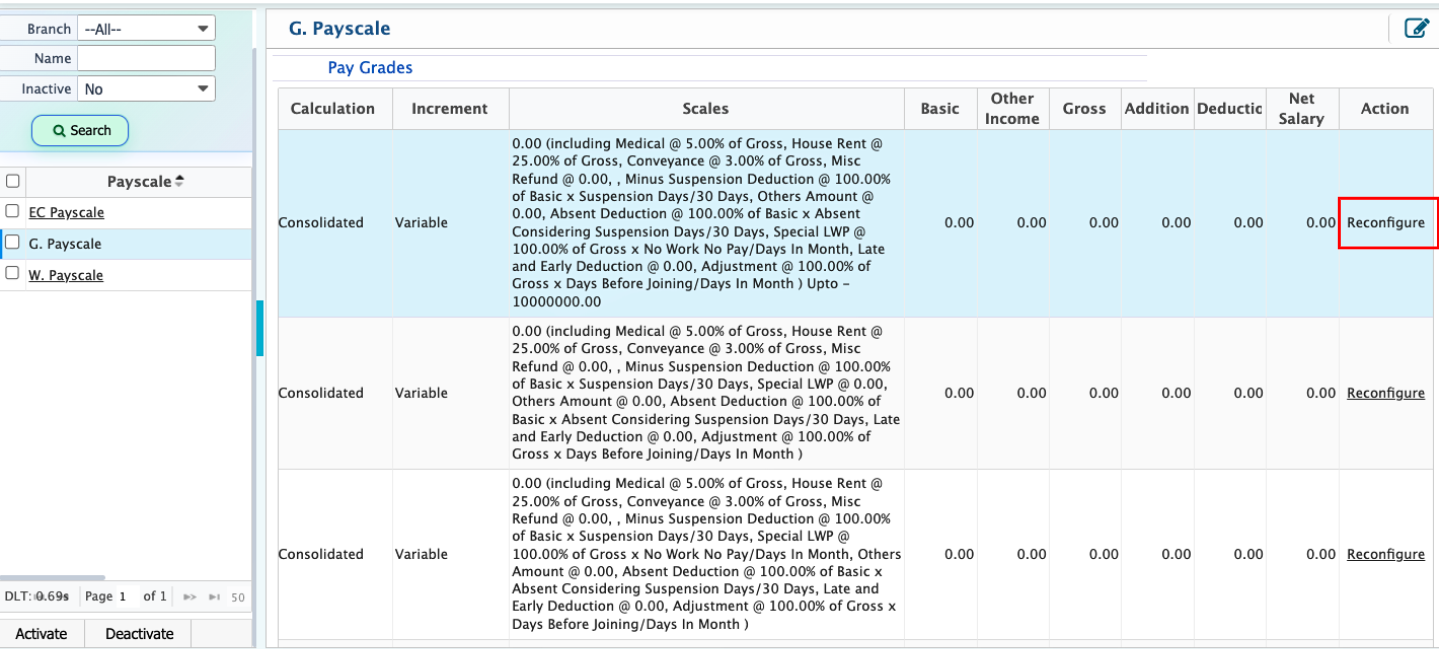
Once created, each pay scale appears in the Pay Scale List, where users can view full configurations, search records, and activate or deactivate entries. Each pay scale also allows access to its included pay grades for reconfiguration when required.
Add New Payscale
| Field | Action |
|---|---|
| Name | Enter the name of the pay scale for identification. |
| Print as | Enter the label that will be shown in reports and payslips. |
| Code | Enter a unique code to identify the pay scale. |
| Branch | Select the branch where the pay scale will be applied. |
| Select branches | Choose one or multiple branches to apply the pay scale across selected locations. |
| Pay Grades | Section used to assign pay grades under the pay scale. |
| Grade | Select the pay grade included in the pay scale. |
| Calculation Type | Select how the pay scale will be calculated |
| Increment Type | Select the type of increment applied to the pay scale. |
| Amount From | Enter the starting salary range for the pay scale. |
| Amount To | Enter the ending salary range for the pay scale. |
| Increment | Define the increment amount applied within the scale. |
| Inc. Qty | Enter the increment quantity or count used in calculation. |
| EB Amount | Enter the efficiency benefit amount applicable to the scale. |
| EB Qty | Enter the efficiency benefit quantity. |
After a pay scale is created in PrismERP, it appears in the Pay Scale List, where users can see all pay scales along with their full setup details in one place. From here, users can review how each pay scale is structured and which pay grades are included. Users also have the option to activate or deactivate a pay scale.
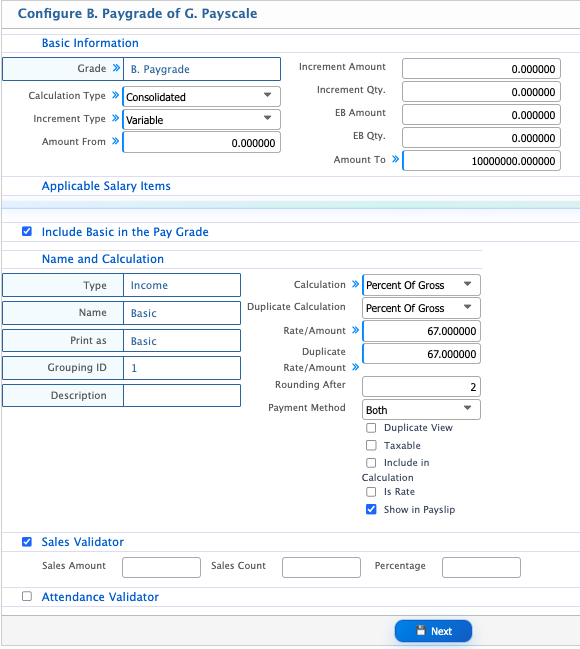
Each pay scale contains multiple pay grades, and users can go inside and reconfigure them if needed. This includes updating basic pay grade details and adding fields such as sales validator and attendance validator, which are stored as part of the pay scale configuration.