Export LC Management
The Export LC feature in PrismERP allows users to create and manage export Letters of Credit (LCs) efficiently. Users can enter all relevant details such as LC type, buyer, banks, shipment dates, currency, payment terms, and trade or delivery terms. Each LC can be linked to related Indents or Proforma Invoices, enabling seamless tracking of shipment schedules, partial shipments, transshipment, and LC expiry dates.The LC Details View consolidates all information related to the LC, including amendments, payments, margins, courier details, vouchers, invoices, attachments, and undelivered items. This ensures users have a complete view of each LC, making tracking, reporting, and decision-making simple and accurate.
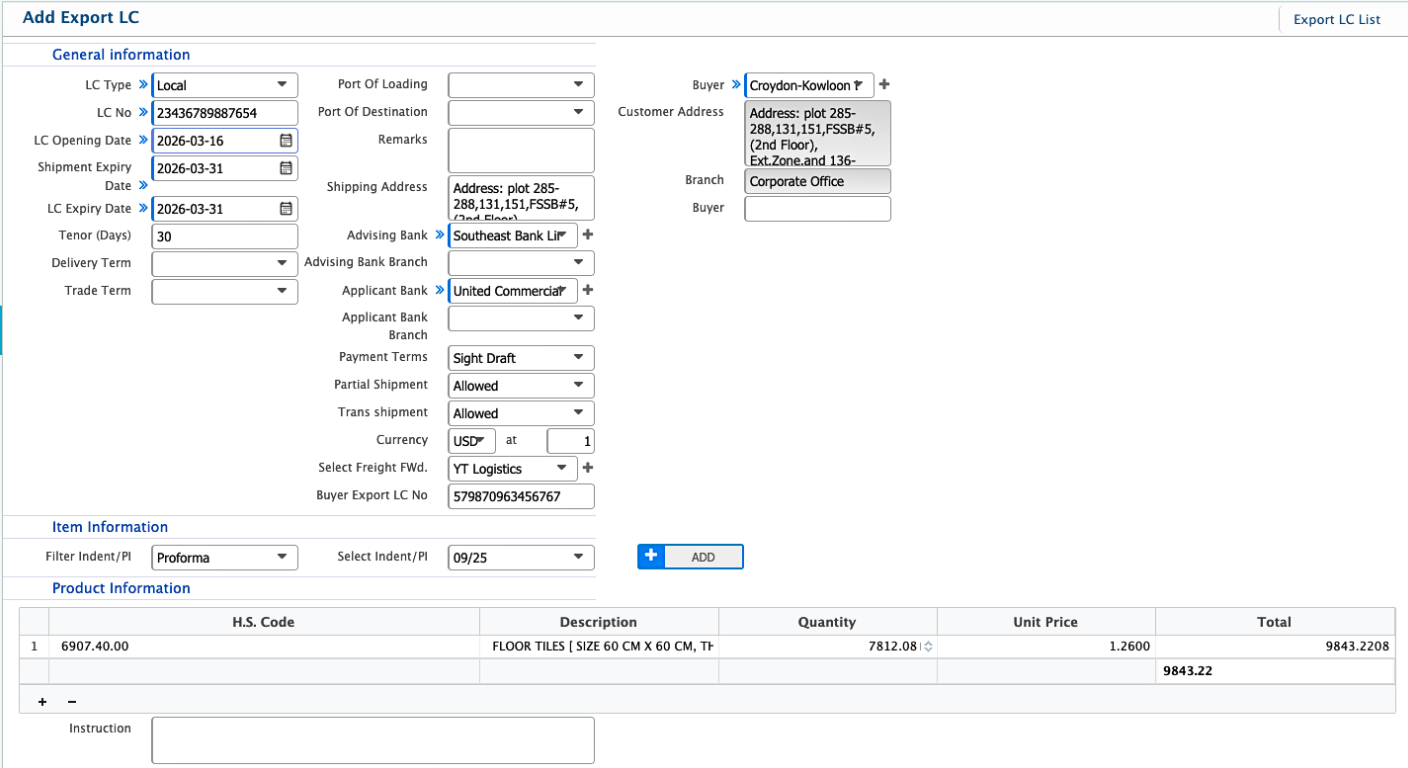
Add Export LC
| Field | Action |
|---|---|
| LC Type | Select the type of Export LC (e.g., Local, Foreign). |
| LC No | Enter the Export LC number. |
| LC Opening Date | Enter the date when the LC is opened. |
| Shipment Expiry Date | Enter the last date for shipment under the LC. |
| LC Expiry Date | Enter the expiry date of the LC. |
| Tenor (Days) | Enter the tenor period in days for LC maturity. |
| Delivery Term | Select the delivery term for the shipment. |
| Trade Term | Select the trade term (e.g., FOB, CIF). |
| Port Of Loading | Enter the port from which goods will be shipped. |
| Port Of Destination | Enter the port where the goods will arrive. |
| Remarks | Enter any additional remarks related to the LC. |
| Shipping Address | Enter the address where the goods will be shipped. |
| Advising Bank | Select the advising bank handling the LC. |
| Advising Bank Branch | Enter the branch of the advising bank. |
| Applicant Bank | Select the bank issuing the LC. |
| Applicant Bank Branch | Enter the branch of the applicant bank. |
| Payment Terms | Select the agreed payment terms for the LC. |
| Partial Shipment | Select whether partial shipment is allowed. |
| Transshipment | Select whether transshipment is allowed. |
| Currency | Select the currency used for the LC (e.g., BDT, USD). |
| Freight Forwarder | Select the freight forwarder if applicable. |
| Buyer Export LC No | Enter the buyer’s LC number. |
| Buyer | Select the buyer associated with the LC. |
| Customer Address | Enter the address of the buyer. |
| Branch | Select the branch responsible for managing the LC. |
| Item Information | Select the related Indent or Proforma Invoice linked to the LC. |
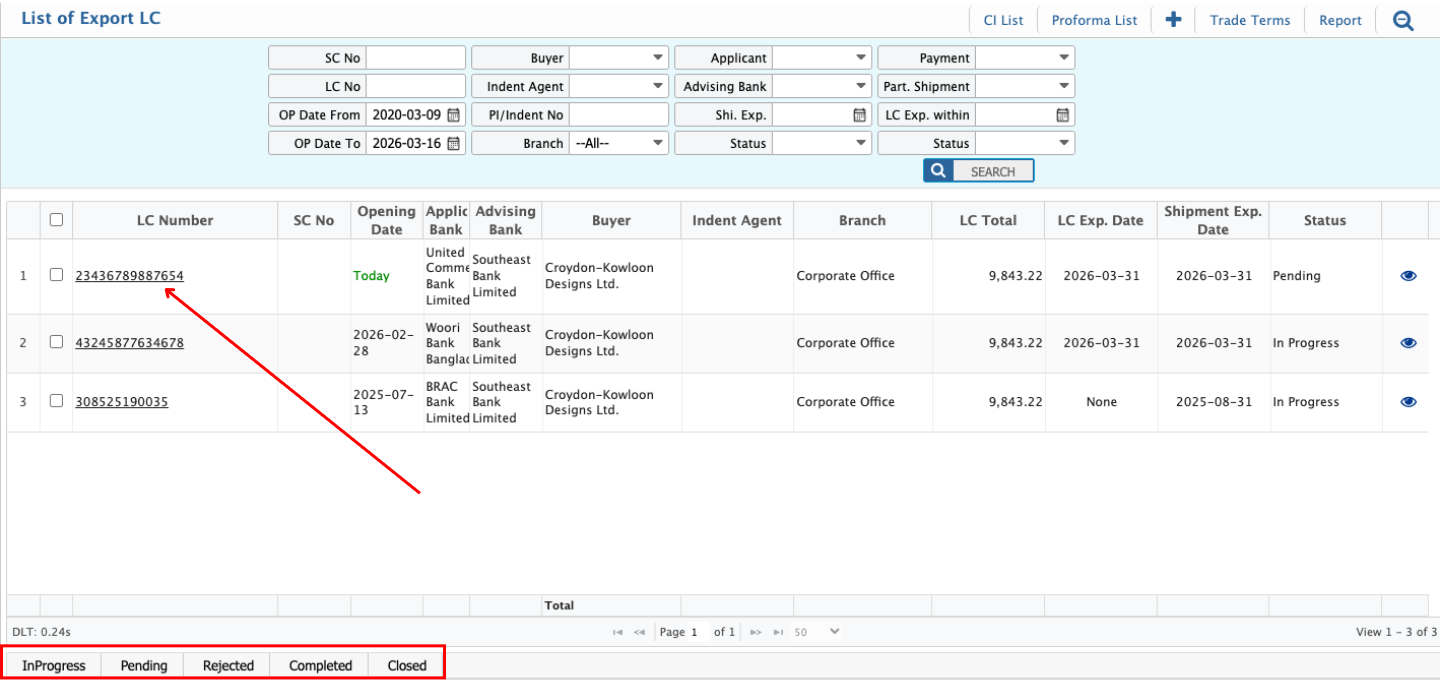
After adding an Export LC, it appears in the Export LC List, where users can search, filter, and track records using multiple criteria. The status of an LC can be updated as it progresses, with available statuses including Pending, Completed, Rejected, and Closed. Users can edit an LC while it remains in the Pending state.
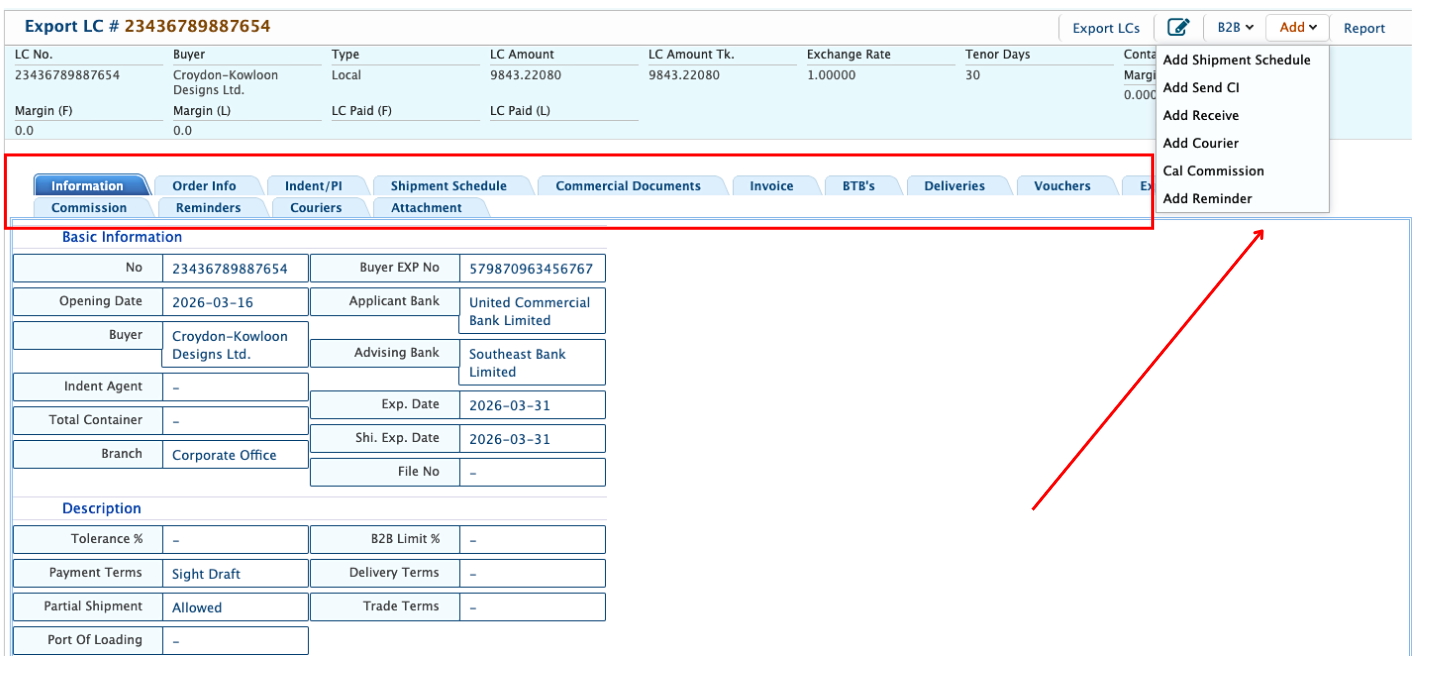
Clicking the LC Number from the list opens the Details View. After opening the Details View of an Export LC, users can view all relevant information in one place. This includes Order Info, Indent/PI, Shipment Schedule, Commercial Documents, Invoice, BTB’s, Deliveries, Vouchers, Expenses, Receives, Commission, Reminders, Couriers, and Attachments.
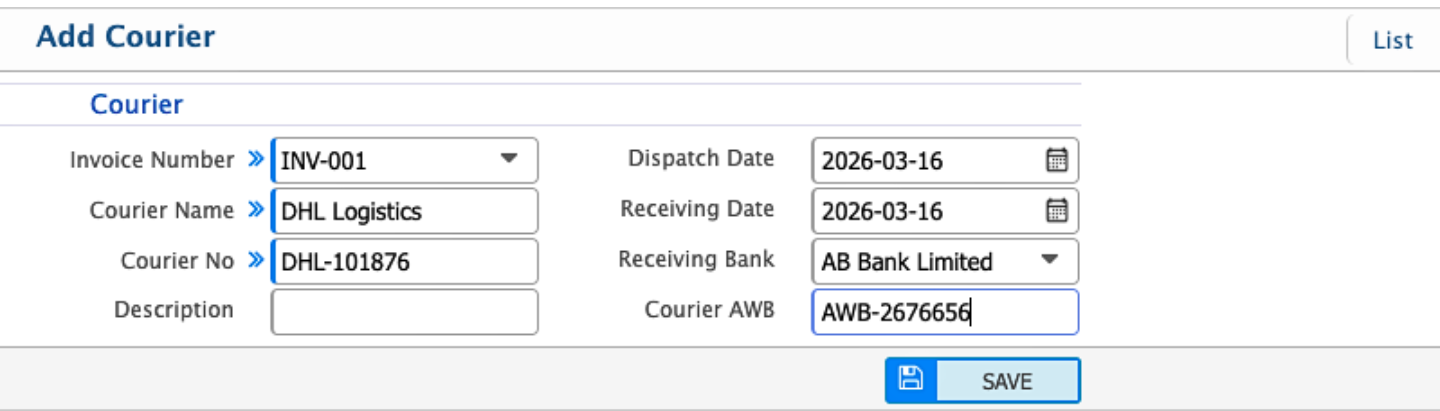
Add Courier
Users can add a courier directly from the Export LC Details View. They can enter dispatch and receipt information, including courier number, dates, and related details.
| Field | Action |
|---|---|
| Courier Invoice Number | Enter the courier invoice or reference number. |
| Courier Name | Select or enter the name of the courier service. |
| Courier No | Enter the courier tracking number. |
| Description | Enter any notes or details describing the courier shipment. |
| Dispatch Date | Enter the date when the courier was dispatched. |
| Receiving Date | Enter the date when the courier was received. |
| Receiving Bank | Enter the bank that received the courier, if applicable. |
| Courier AWB | Enter the Air Waybill (AWB) number for the shipment. |
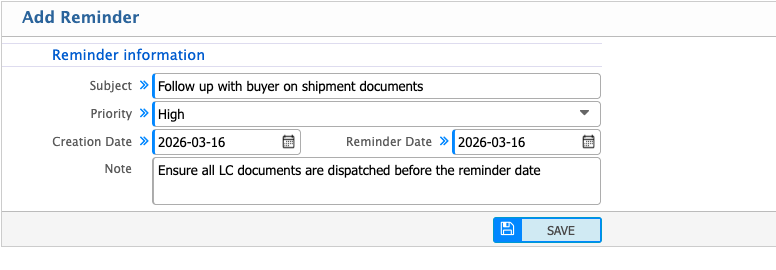
Add Reminder
Users can add a reminder directly from the Export LC Details View. They can enter the reminder subject, priority, creation date, reminder date, and any additional notes.
| Field | Action |
|---|---|
| Subject | Enter the subject or title of the reminder. |
| Priority | Select the priority level for the reminder (High, Medium, Low). |
| Creation Date | Enter the date when the reminder is created. |
| Reminder Date | Enter the date when the reminder should alert the user. |
| Note | Enter any additional notes or details for the reminder. |