Manpower Budget
Manpower Budget in PrismERP is used to plan and manage workforce requirements for future periods. It allows users to define manpower needs by branch, department, unit, and designation, manage manpower budget amendments, create requisitions, and monitor manpower availability through the Manpower Status report.
Add Manpower Budget
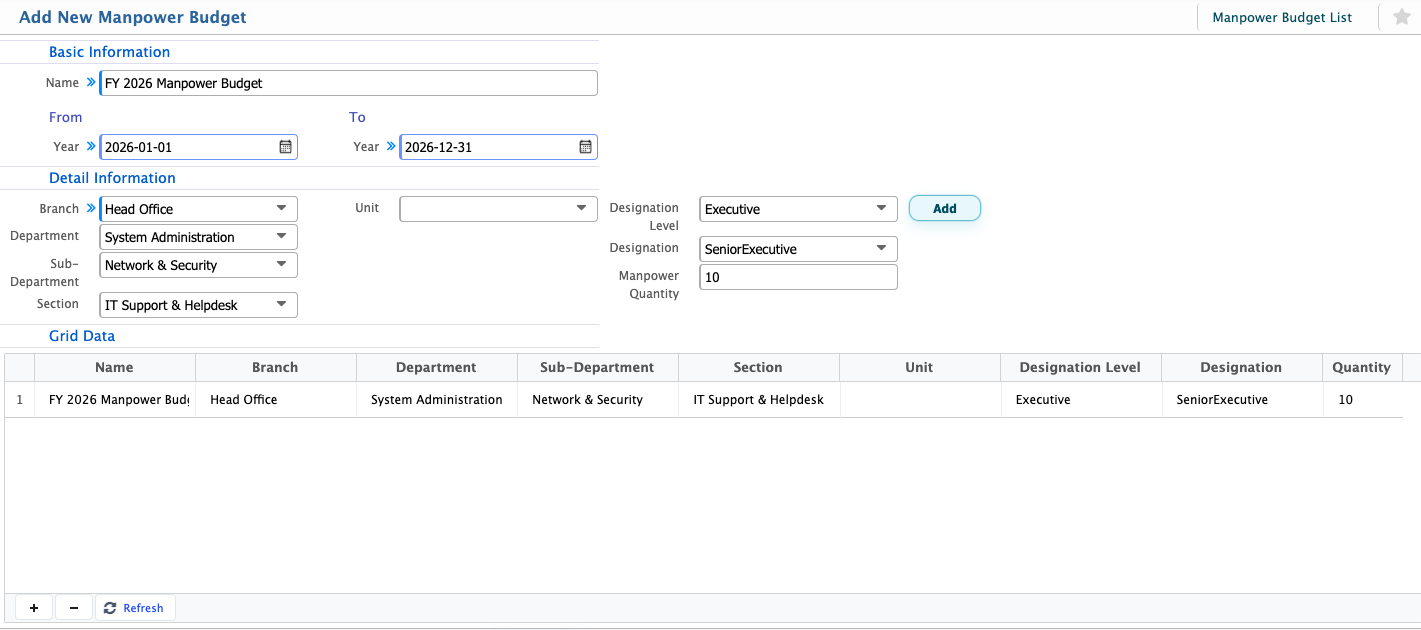
| Field | Action |
|---|---|
| Name | Enter a name for the manpower budget plan. |
| From Year | Select the starting year for the manpower budget period. |
| To Year | Select the ending year for the manpower budget period. |
| Branch | Select the branch for which the manpower budget is being prepared. |
| Department | Select the department to allocate manpower requirements. |
| Sub-Department | Select the relevant sub-department, if applicable. |
| Section | Select the section associated with the manpower requirement. |
| Unit | Select the organizational unit. |
| Designation Level | Select the designation level for the manpower requirement. |
| Designation | Select the designation or position to be budgeted. |
| Manpower Quantity | Enter the number of employees required for the selected designation. |
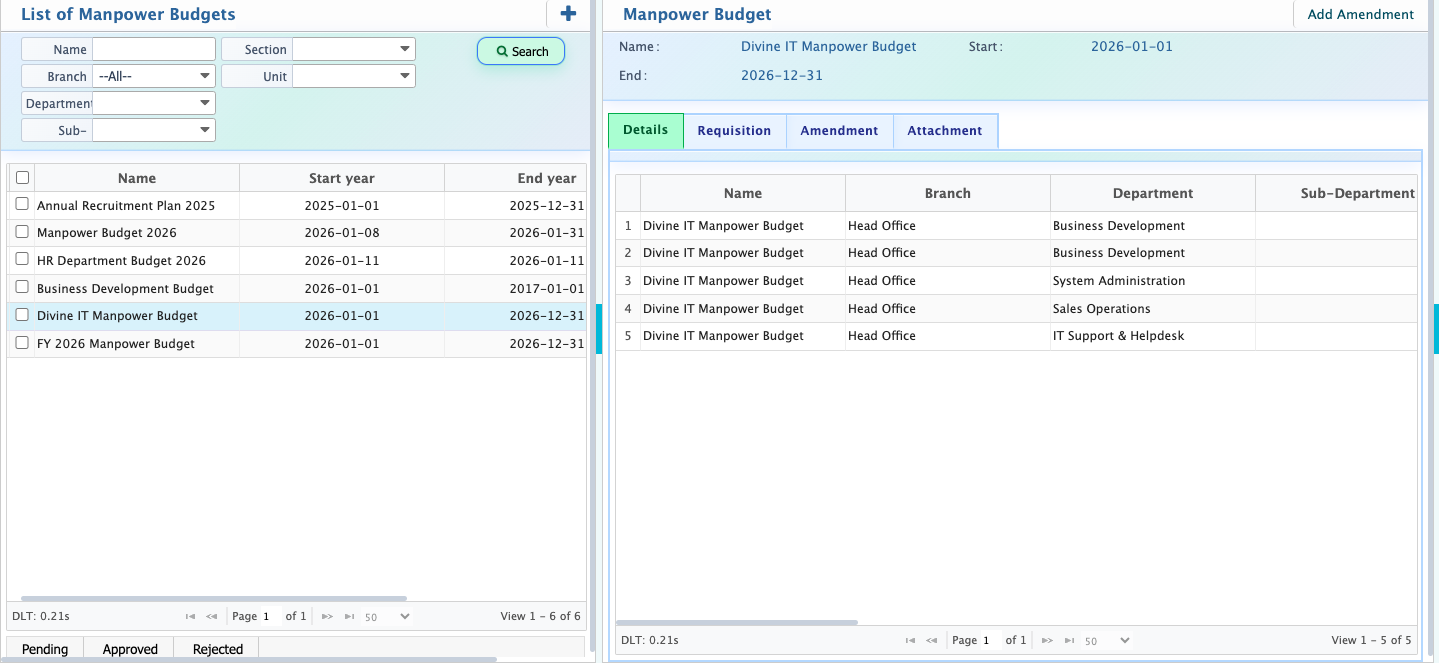
After a manpower budget is created, it appears in the Manpower Budget List.Users can use the search panel to find a specific manpower budget using available search criteria. From the list, users can change the budget status from Pending to Approved once it has been reviewed. If the budget is not accepted, users can also Reject it.Selecting a manpower budget opens the details view. On the right panel, users can view detailed manpower information, including Manpower Quantity, Active Manpower, Required Manpower, and Approved Requisition. Users can also create a Quick Requisition directly from this panel.The Requisition tab displays all requisitions associated with the selected manpower budget. If supporting documents are required, users can manage them through the Attachments section. Users can add, download, and delete attachments as needed.
Manpower Budget Amendment
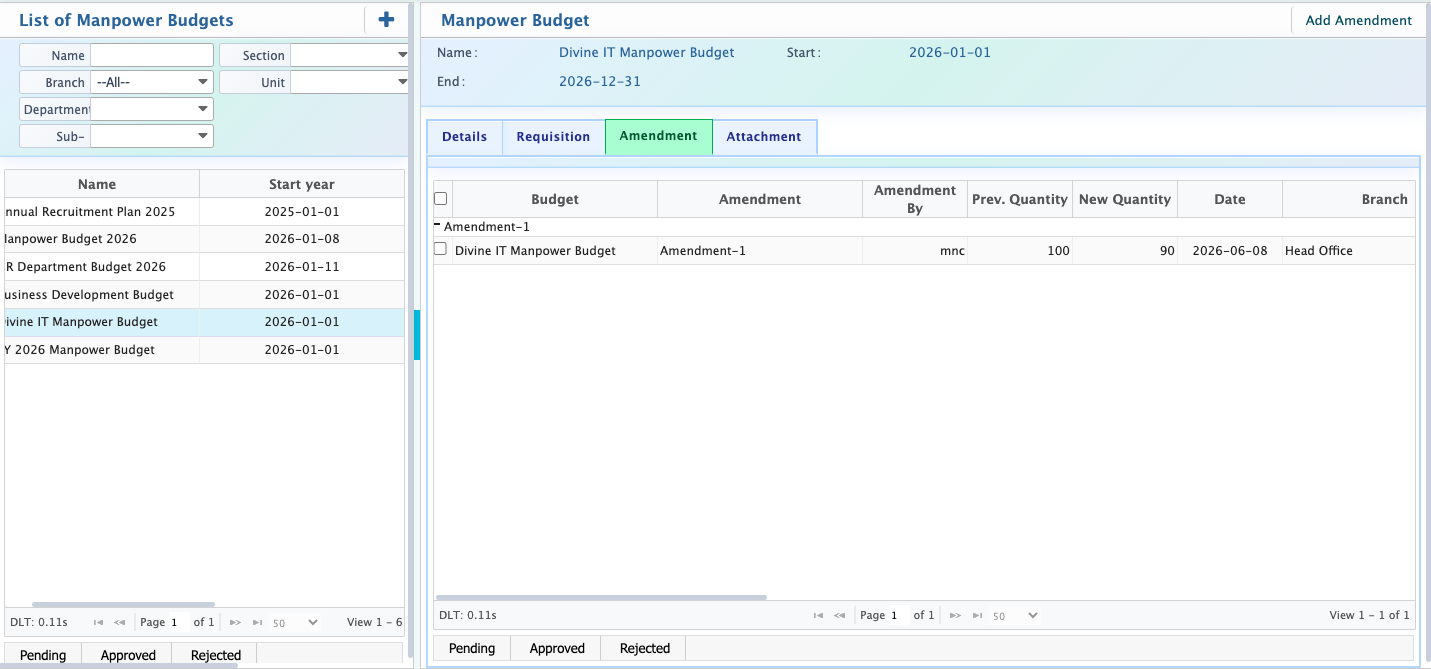
Users can also add amendments if changes are required after the manpower budget has been created.Using the Add Amendment option, users can modify information such as the Department, Sub-Department, Section, Unit, Designation, and Manpower Quantity, along with other relevant budget details. After saving the amendment, the updated information is recorded in the system. Users can view all amendment records and their details from the Amendment tab of the manpower budget. User can also approve and reject the manpower budget.
Manpower Status
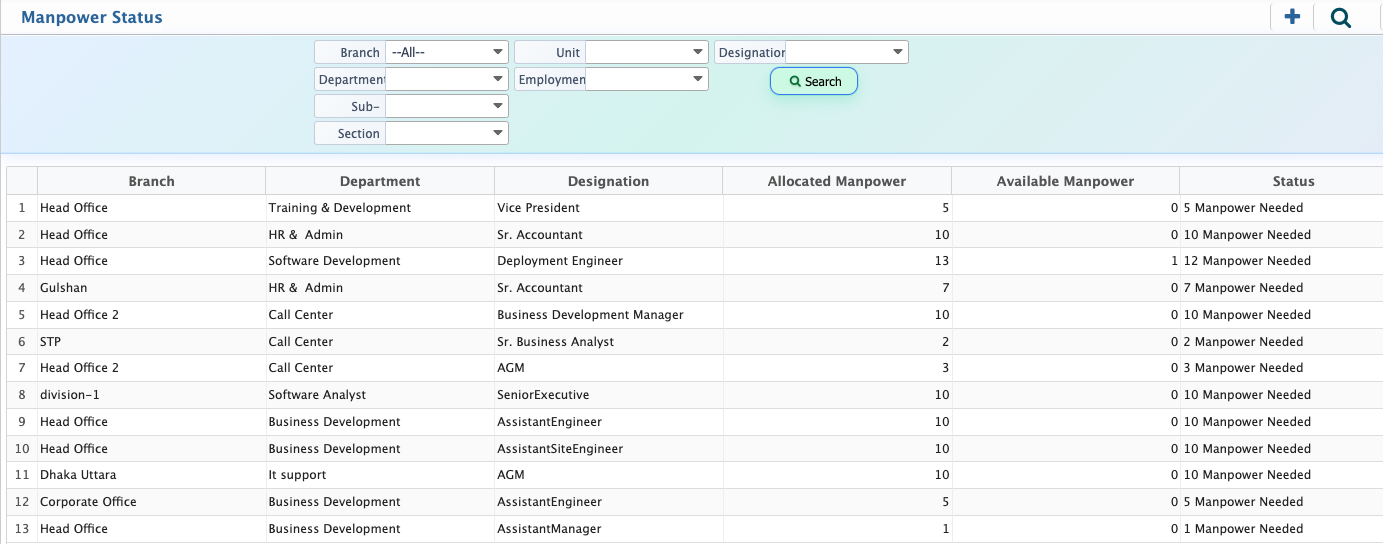
PrismERP allows users to see the Manpower Status, where users can view the current manpower situation across different branches, departments, and designations. Users can use the search panel to filter the information by Branch, Department, Sub-Department, Section, Unit, Employment, and Designation. The list shows the Branch, Department, Designation, Allocated Manpower, Available Manpower, and Status for each designation. From here, users can easily identify manpower shortages. For example, if the allocated manpower is 10 and the available manpower is 0, the status will show 10 Manpower Needed.