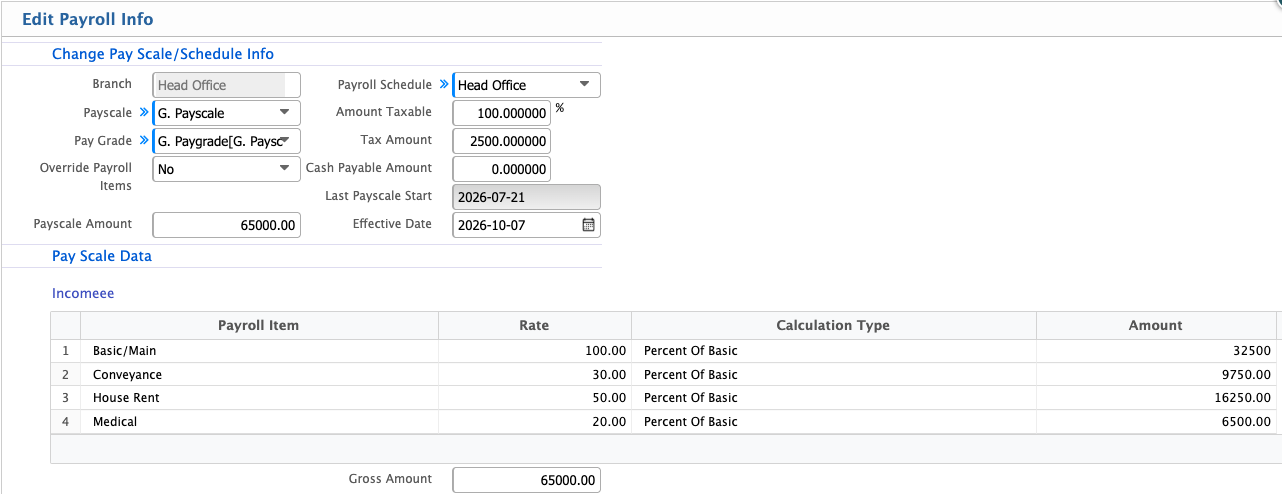
🧾 Employee Payroll & Payment
In PrismERP, users can check all Payroll and Payment Information for an employee directly from the Employee Profile. The Payroll tab shows a detailed breakdown of the salary, including Basic Pay, House Rent, Allowances, Additions, and Deductions. Users can also view the employee’s payscale history and make updates to the payscale if needed. The profile provides a record of the payroll schedules, showing when and how payments were processed.
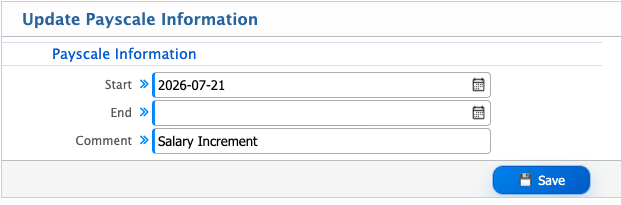
To update the payscale, users can click the Edit option and enter the new details in the Update Payscale Information section, including Start Date, End Date, and Comments.
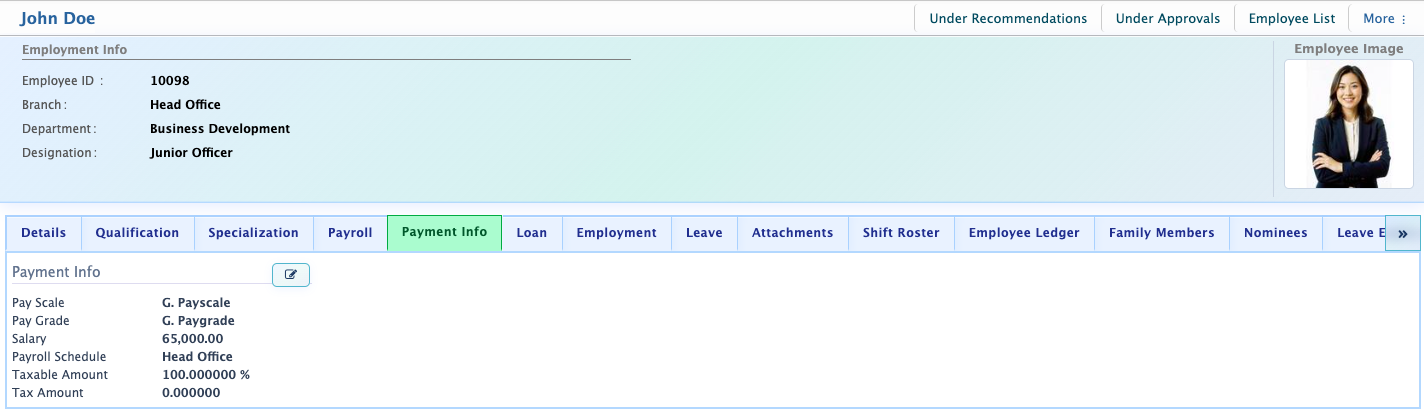
The Payment Information section displays key payroll details such as Pay Scale, Grade Payscale, Pay Grade, Grade Paygrade, Salary, Payroll Schedule, Taxable Amount, and Tax Amount. Users can also manually edit payroll information whenever adjustments or updates are required.
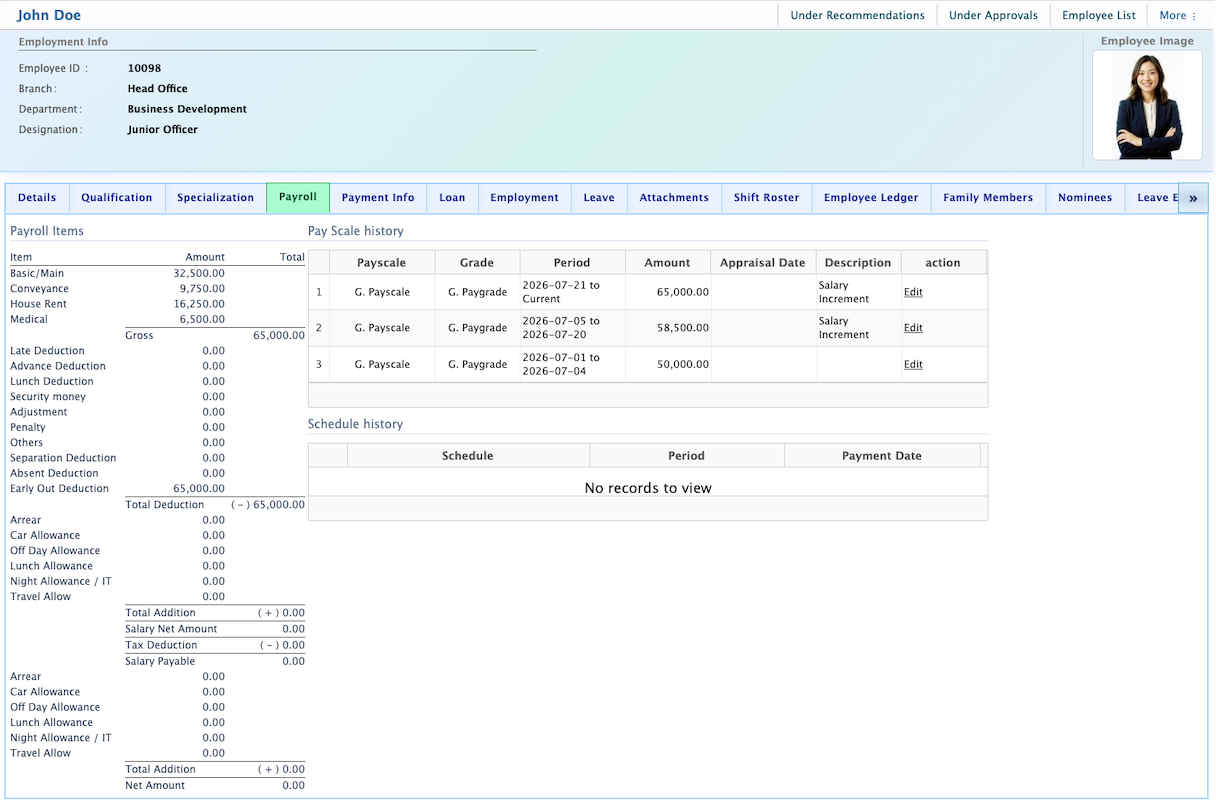
To update the payscale, the user can click the Edit option and enter the new details in the Update Payscale Information section, including Start Date, End Date, and Comments.
In the Payment Information section of the Employee Profile, users can view key payroll details such as Pay Scale, Grade Payscale, Pay Grade, Grade Paygrade, and Salary. Additional information includes the Payroll Schedule, Taxable Amount, and Tax Amount.
Users also have the option to edit payroll information manually if adjustments or updates are needed.