Employment Management
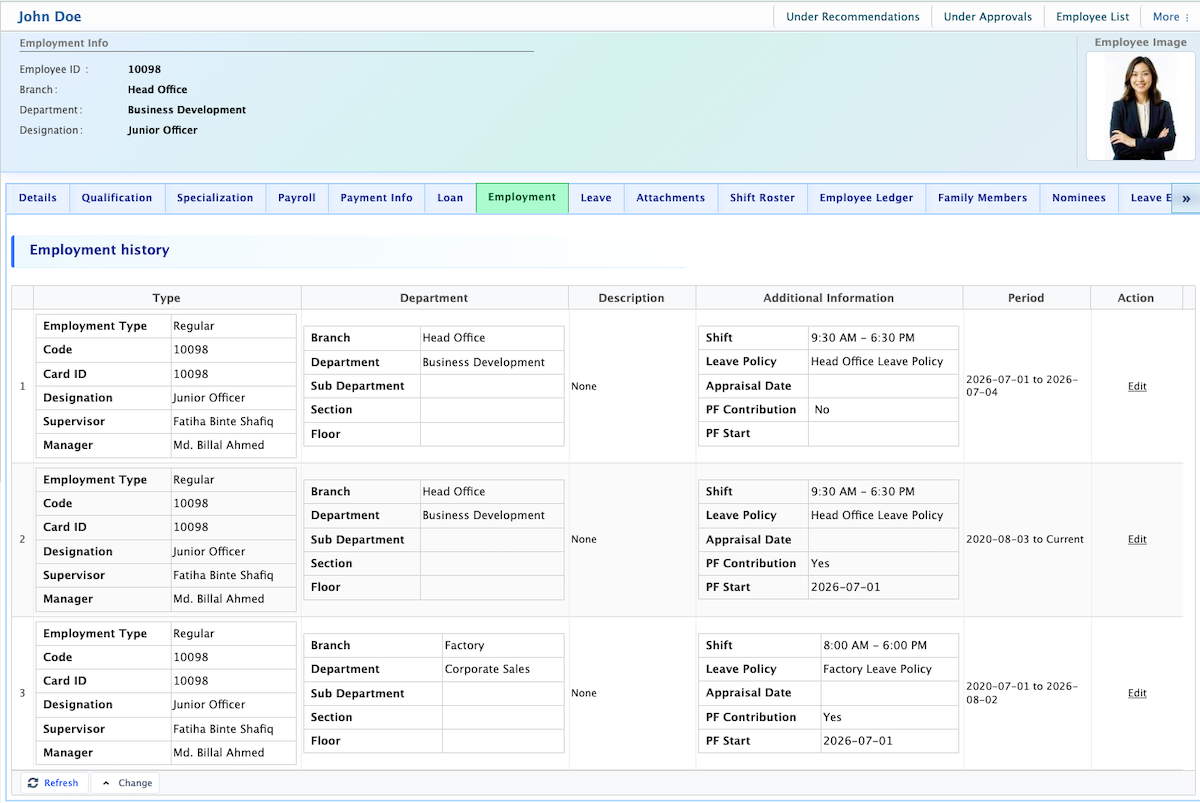
In PrismERP, users can view a complete record of an employee’s employment history and related information directly from the Employee Profile. Each employment entry includes Employment Type, Code, Card ID, Designation, Supervisor, Manager, Branch, Department, Sub Department, Section, Floor, and Shift. Additional details such as Leave Policy, Appraisal Date, PF Contribution, and PF Start and End Dates are also displayed. Users can see the employment period for each record and any additional notes or descriptions recorded for that position. Each entry is organized in a table format with a numbered list and an Action option for editing. Users can click the Edit button to update employment information, including changes to department, designation, reporting managers, or payroll-related data.