Leave Encashment
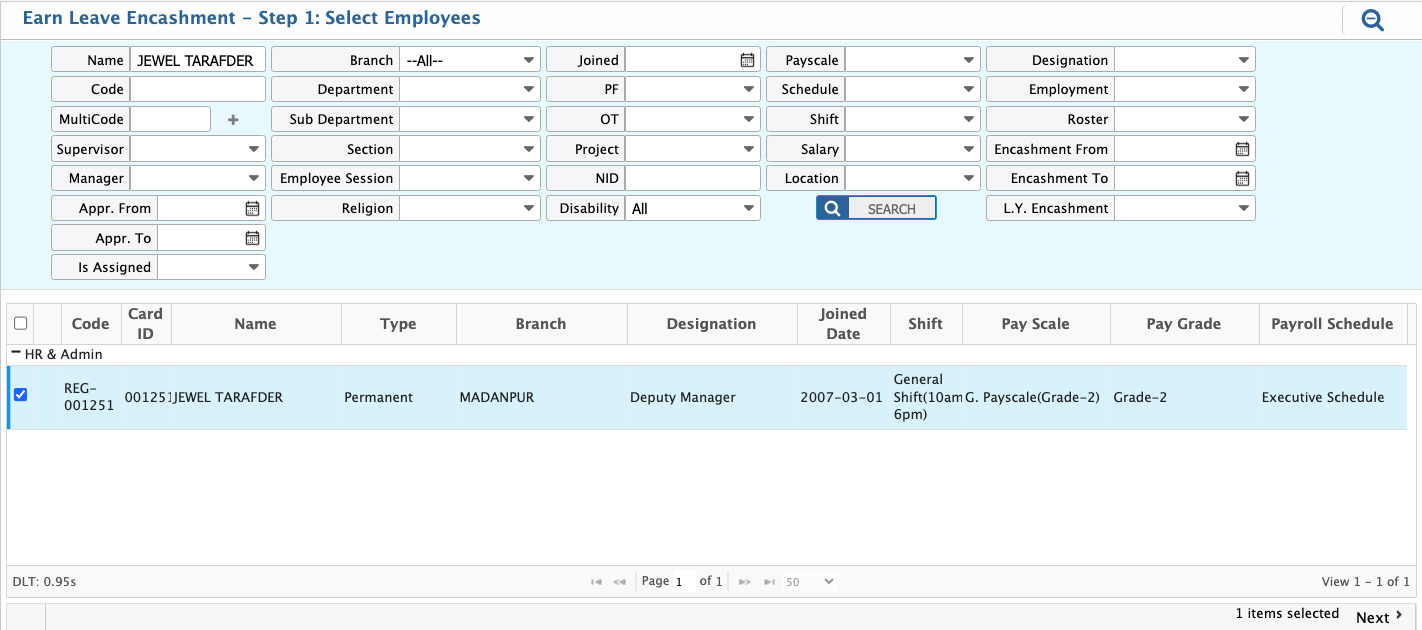
The Leave Encashment feature in PrismERP allows employees to convert eligible leave balances into monetary value. Users need to navigate to the Leave Encashment page and select the employee(s) for whom encashment will be processed, then proceed by clicking Next.
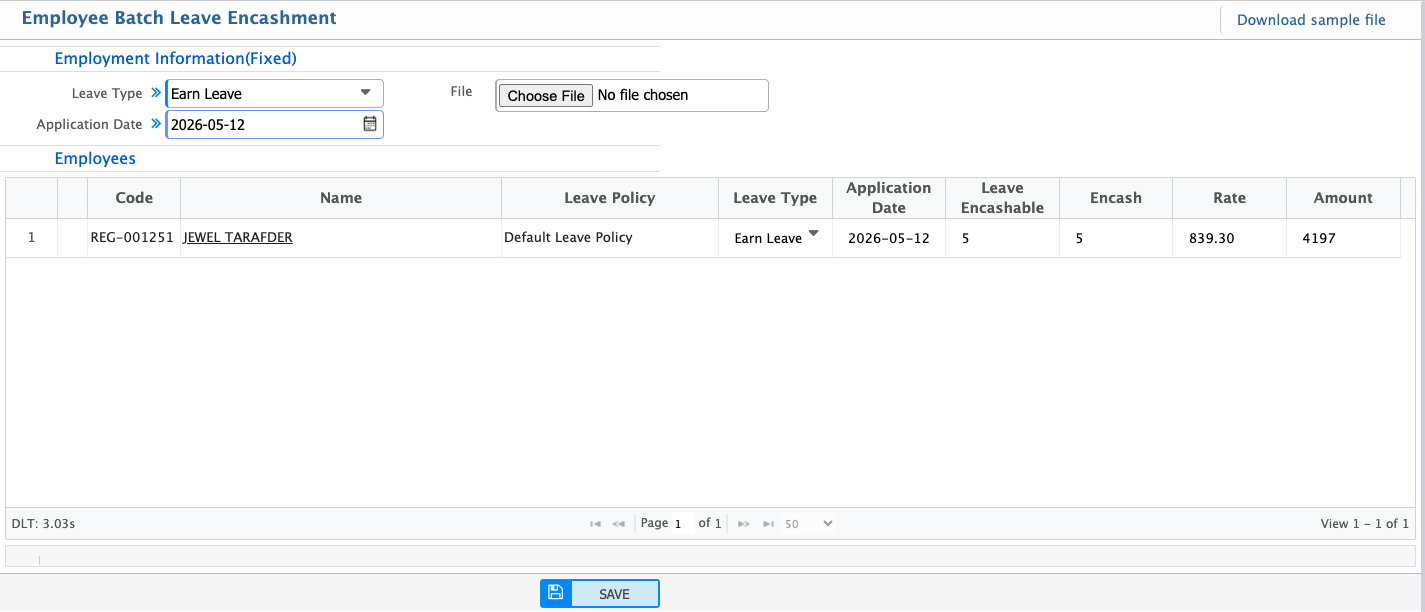
After clicking Next, the Leave Encashment form will open where users must select the leave type and application date. The system automatically calculates the encashment rate and displays the applicable encashable leave balance based on the employee’s leave policy. Users then need to enter the number of leave days they want to encash. Once all required information is provided, clicking Save will complete the encashment process and record it in the system.
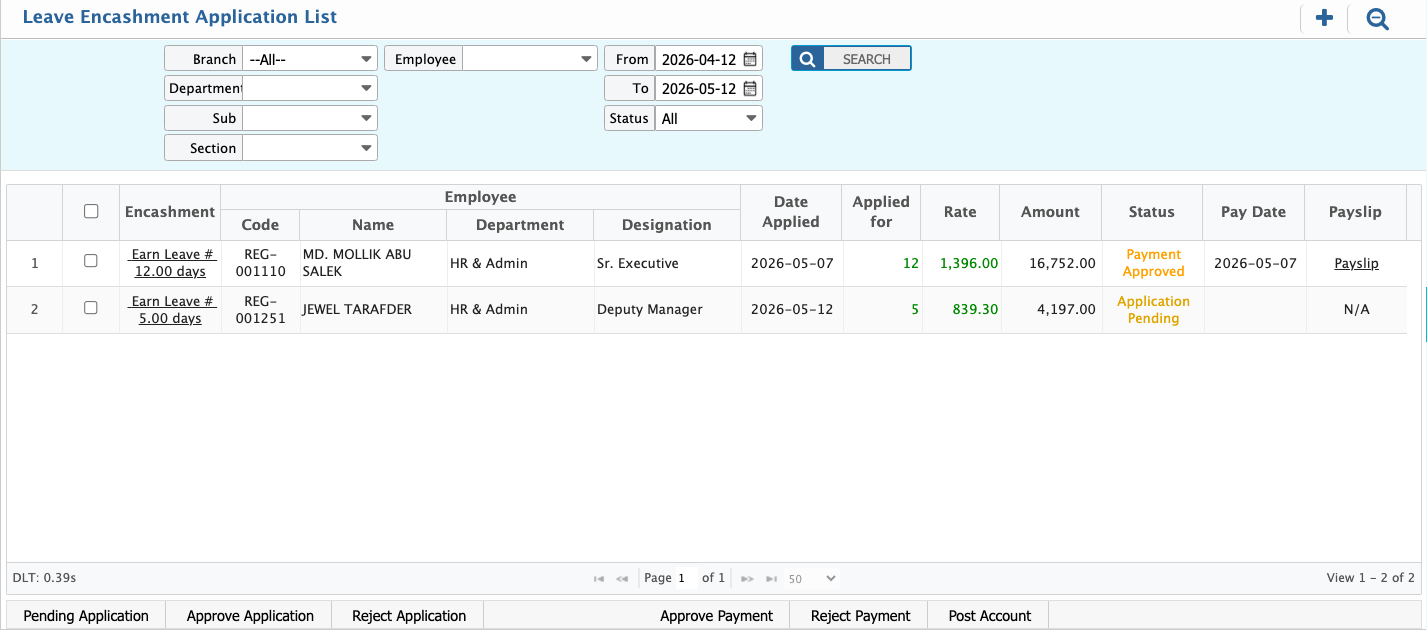
After saving the leave encashment request, it will appear in the Leave Encashment Application List. From this list, users can review all submitted applications and take necessary actions such as approve or reject based on company policy.Users can also perform batch leave encashment by selecting multiple employees at once, allowing encashment to be processed in bulk instead of creating individual entries.If the user clicks on the application name, the system will open the detailed view of that encashment record. From here, users can generate the payment for the approved encashment and also view the corresponding payslip.