Late Management
The Late Management feature in PrismERP helps organizations track, control, and penalize employee late arrivals based on defined attendance rules. It ensures accountability, maintains discipline, and links lateness directly with payroll or absence deductions as per company policy. This module works in coordination with Attendance, Leave, and Payroll, applying defined late rules for salary calculation or disciplinary tracking.
How to Use This Feature in PrismERP
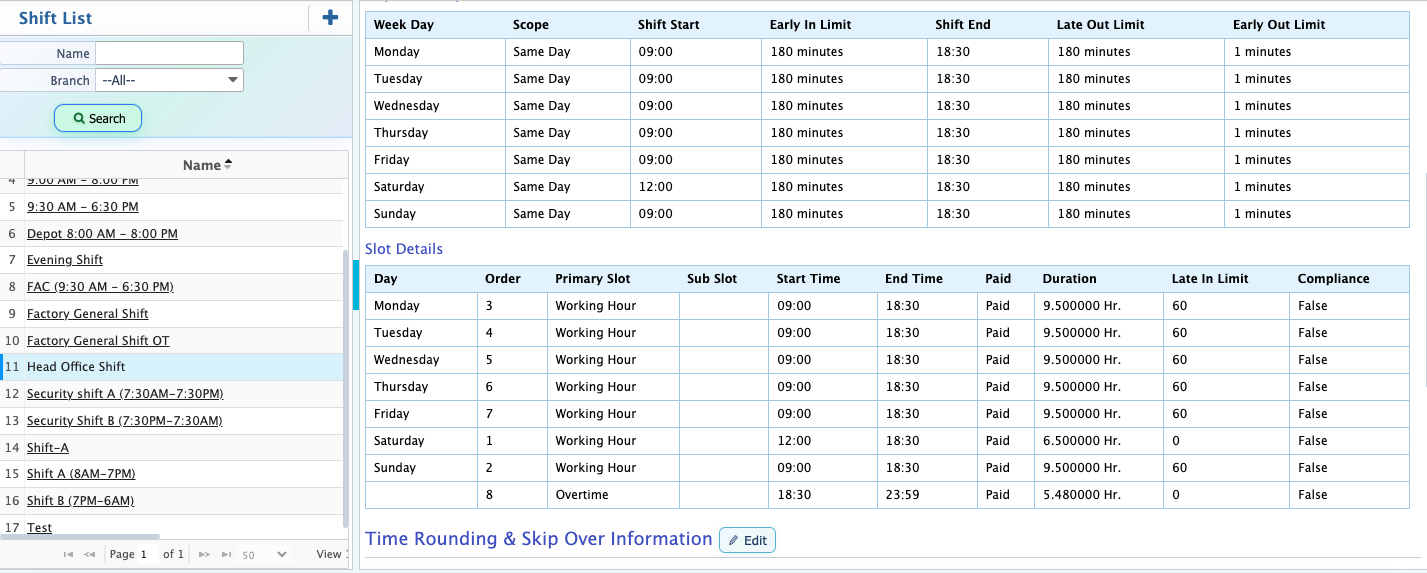
A. Late Limit Configuration
- Define "Late In Time", Grace Period (minutes), and Late Mark After (minutes) per shift.
- Can be unique per shift (e.g., General/Day/Night).
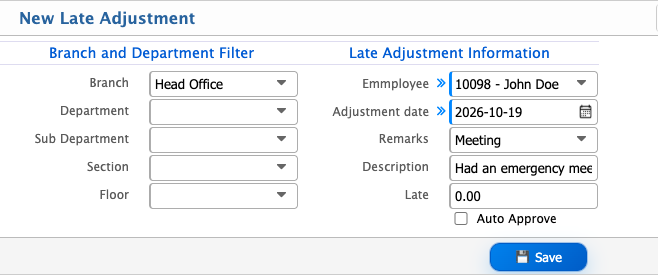
B. Late Adjustment Application (ESS or Admin Panel)
- Add Dynamic Reason
- Employees submit reason and date of late entry.
- Admin or Supervisor approves/rejects.
- Approved late entries are excluded from late count in reports and payroll.
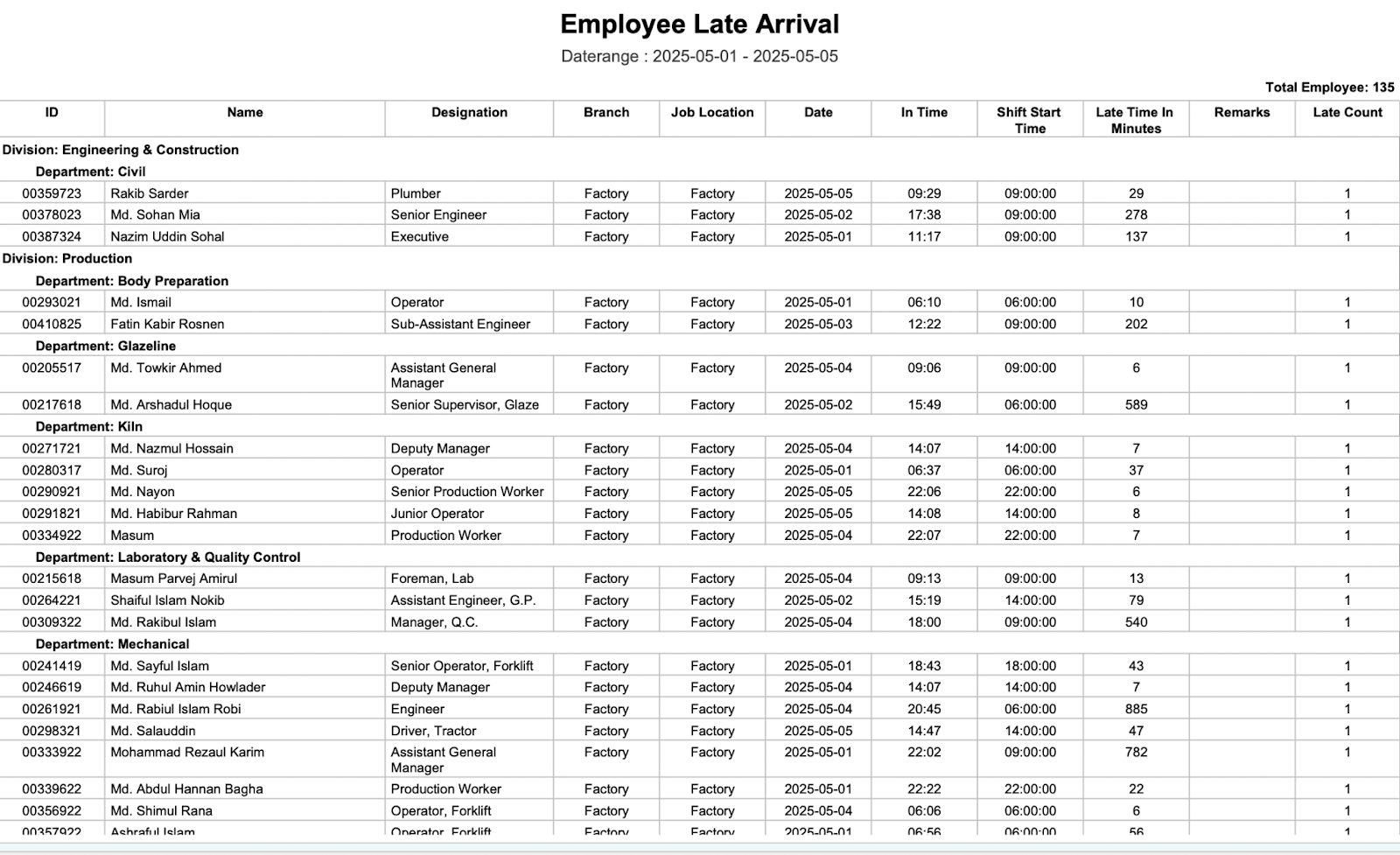
C. Late Attendance Reporting
- Daily/Monthly late report by employee.
- Shows total late minutes, days, adjustment status.
- Can be exported or filtered by department, location, or date.
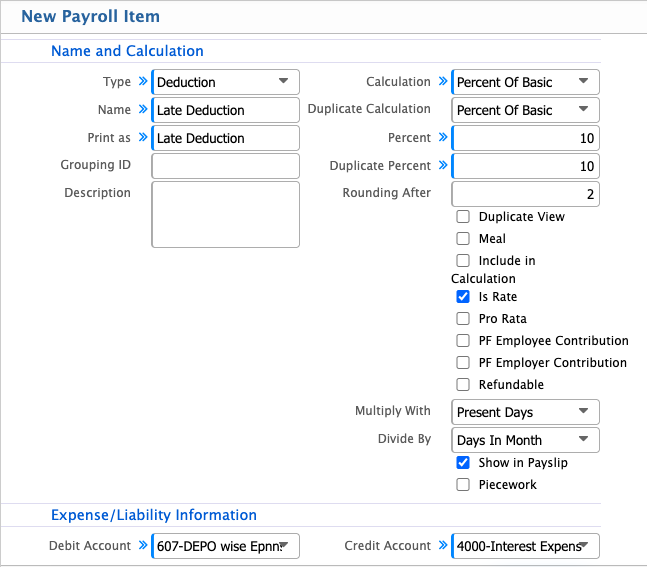
D. Payroll Integration
During payroll processing, system automatically:
- Applies absence or deduction for excessive late days.
- Applies approved late adjustments as exceptions.