Shift Swap
Shift Swap in PrismERP allows users to exchange shifts between employees when required. It helps manage workforce scheduling by letting one employee swap their assigned shift with another employee for a specific date.
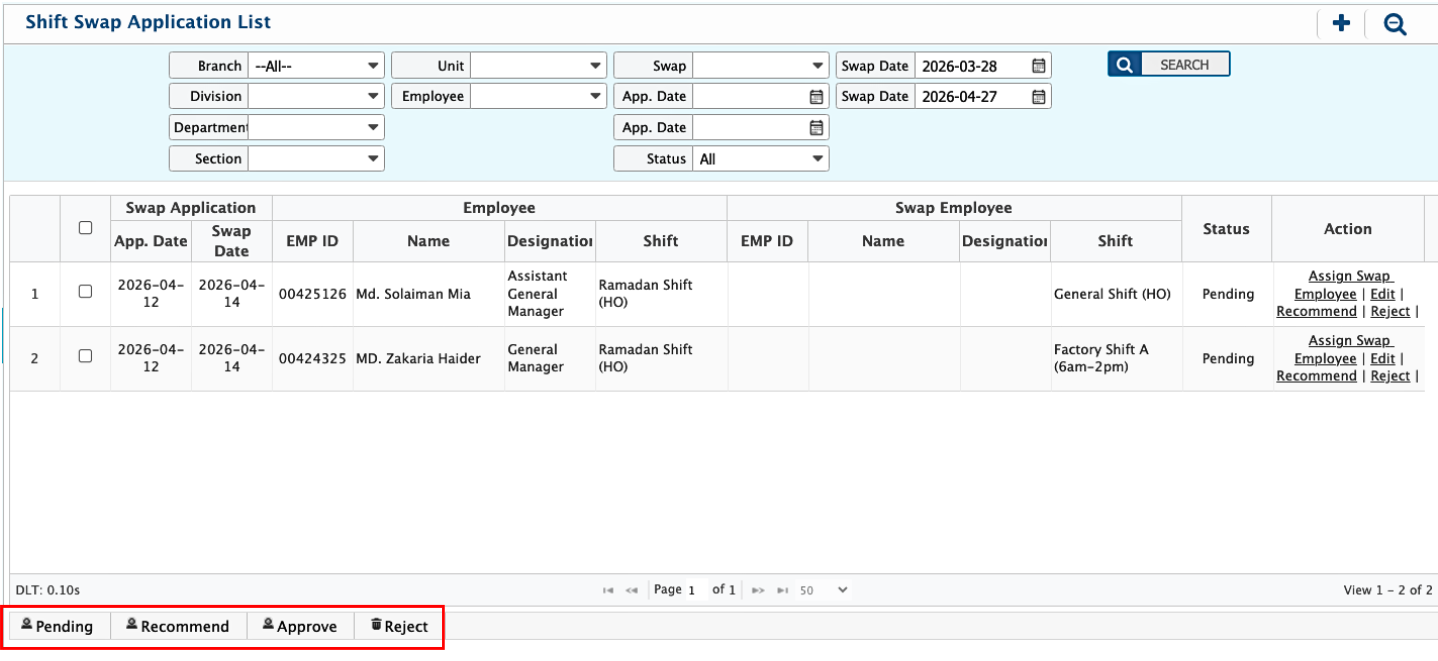
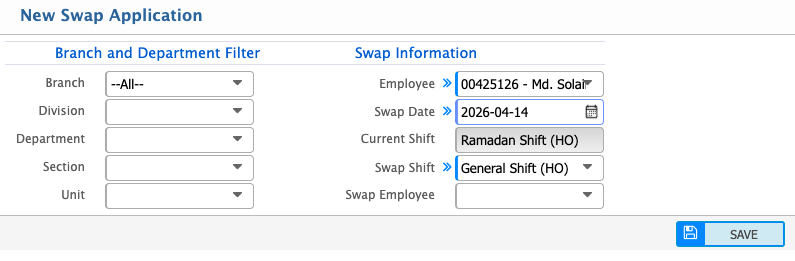
Users can create a swap request by selecting the branch, department, unit, employee, swap date, and the relevant shift details. Once submitted, the request is stored in the Swap Application List, where it can be searched, filtered, reviewed, and either recommended, approved, or rejected based on the requirement.
Users can add a Shift Swap application in PrismERP when there is a requirement to exchange shifts between employees. This allows one employee’s assigned shift to be swapped with another employee’s shift for a specific date.
Add Shift Swap
| Field | Action |
|---|---|
| Branch | Select the branch to filter employees (or choose All). |
| Division | Select the division for narrowing employee list. |
| Department | Select the department. |
| Section | Select the section under the department. |
| Unit | Select the unit for more specific filtering. |
| Employee | Select the employee who is requesting or involved in the swap. |
| Swap Date | Select the date for which the shift swap is requested. |
| Swap Shift | Select the shift to be swapped or replaced. |
| Swap Employee | Select the employee involved in the swap (if applicable). |
After adding a swap application, users can view all submitted requests in the Swap Application List. The system also provides search and filter options to quickly find specific applications based on branch, department, employee, or other criteria. From this list, each request can be reviewed in detail, and users can take actions such as recommending, approving, or rejecting the swap application based on the requirement.