Asset Accounting
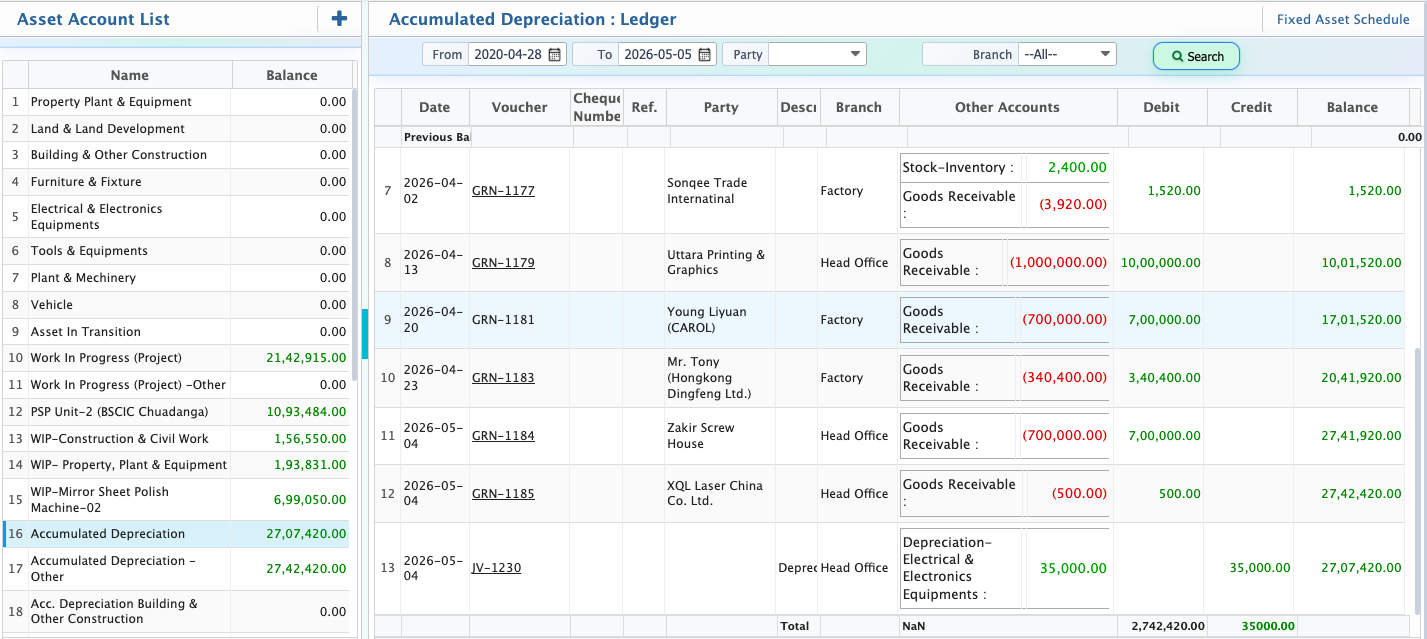
Asset Accounting in PrismERP is used to create and manage fixed asset accounts with all required financial details in a structured way. It allows defining the account hierarchy, opening values, and basic configurations needed for proper asset tracking within the system.Once created, the asset account appears in the Asset Account List, where all related information can be viewed in one place. The total balance is shown along with linked vouchers, including debit and credit entries. A date filter is available to review transactions within a specific period.From the same view, the fixed asset schedule can be accessed to track asset movement and changes over time. Asset accounts are maintained in a dedicated list for easy tracking and are also reflected in the combined Chart of Accounts for complete financial visibility.
Add Asset Account
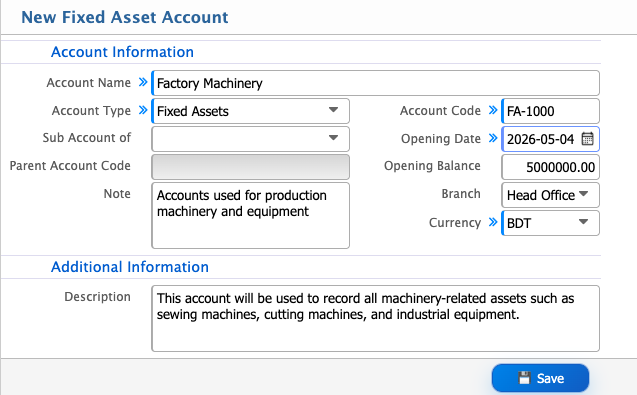
| Field | Action |
|---|---|
| Account Name | Enter a unique account name for identifying the fixed asset account in the system |
| Sub Account of | Select the parent account under which this account will be grouped |
| Parent Account Code | Enter or select the corresponding parent account code |
| Note | Enter any internal note related to the account setup |
| Account Code | Enter a unique account code for tracking and reference |
| Opening Date | Select the opening date of the account. |
| Opening Balance | Enter the initial balance for the account |
| Branch | Select the applicable branch or choose all for all branches |
| Currency | Select the currency (default: BDT) |
| Description | Enter a detailed description of the fixed asset account for internal reference |
After adding an asset account, it shows up in the Asset Account List, where everything can be seen clearly in one place.The total balance is visible along with all linked vouchers, including debit and credit entries. A date filter is available to check financial activity within a specific period.The fixed asset schedule can be opened from this view to review asset movement and changes over time. Asset accounts are also shown in the combined Chart of Accounts for complete financial visibility.