Asset Opening Product Adjustment
Asset Opening Product Adjustment is used to set up or correct the initial quantity of asset products when they are first introduced into the system or migrated from a previous system. It ensures that the opening stock of asset products is accurately recorded so that asset tracking, reporting, and future transactions start from a correct baseline.
This process is commonly used during system implementation or data migration, where existing asset products are brought into PrismERP with their correct opening quantities. It helps maintain consistency between physical assets and system records before normal asset operations begin.
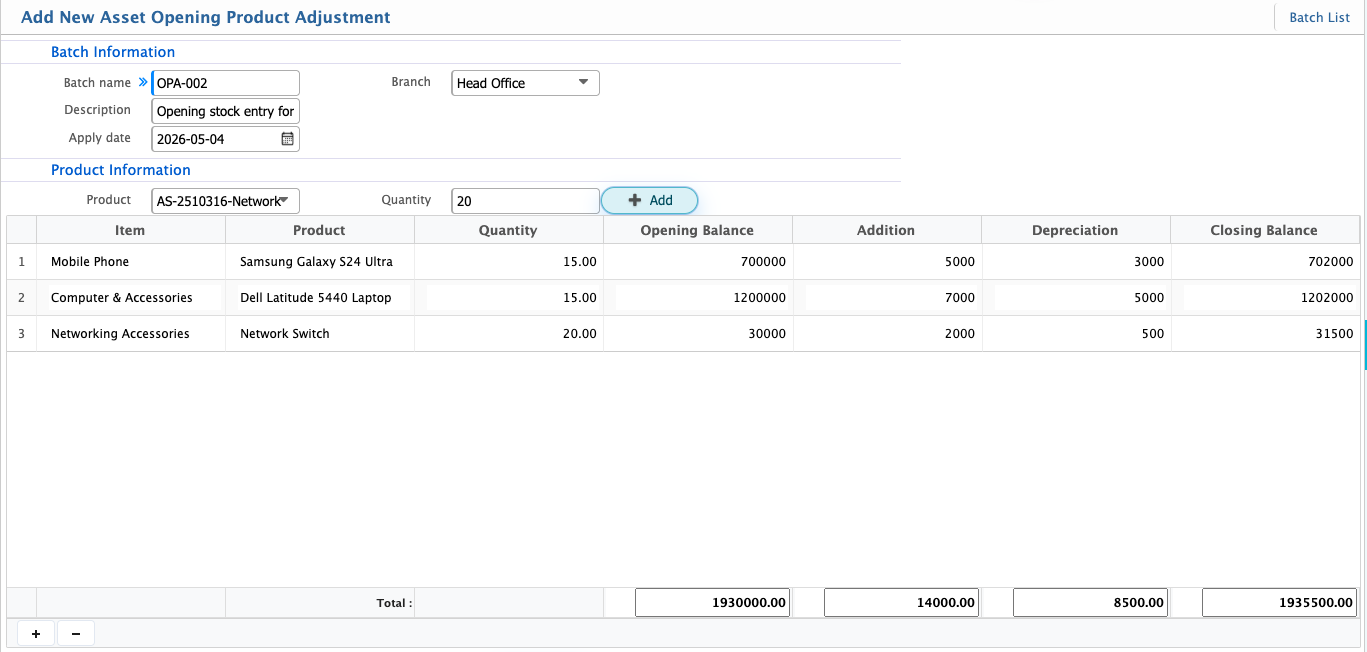
Add Asset Opening Product Adjustment
| Field | Action |
|---|---|
| Batch Name | Enter a unique name to identify the opening product adjustment batch |
| Description | Enter details explaining the purpose and context of the opening adjustment |
| Apply Date | Select the date when the opening product adjustment becomes effective |
| Branch | Select the branch where the opening product adjustment will be recorded |
| Product | Select the asset product for which the opening quantity is being set |
| Quantity | Enter the opening quantity of the selected asset product |
| Opening Balance | Enter the initial value of the asset product at the time of opening |
| Depreciation | Enter the accumulated depreciation amount applicable at opening |
| Addition | Enter any additional value already added to the asset before opening |
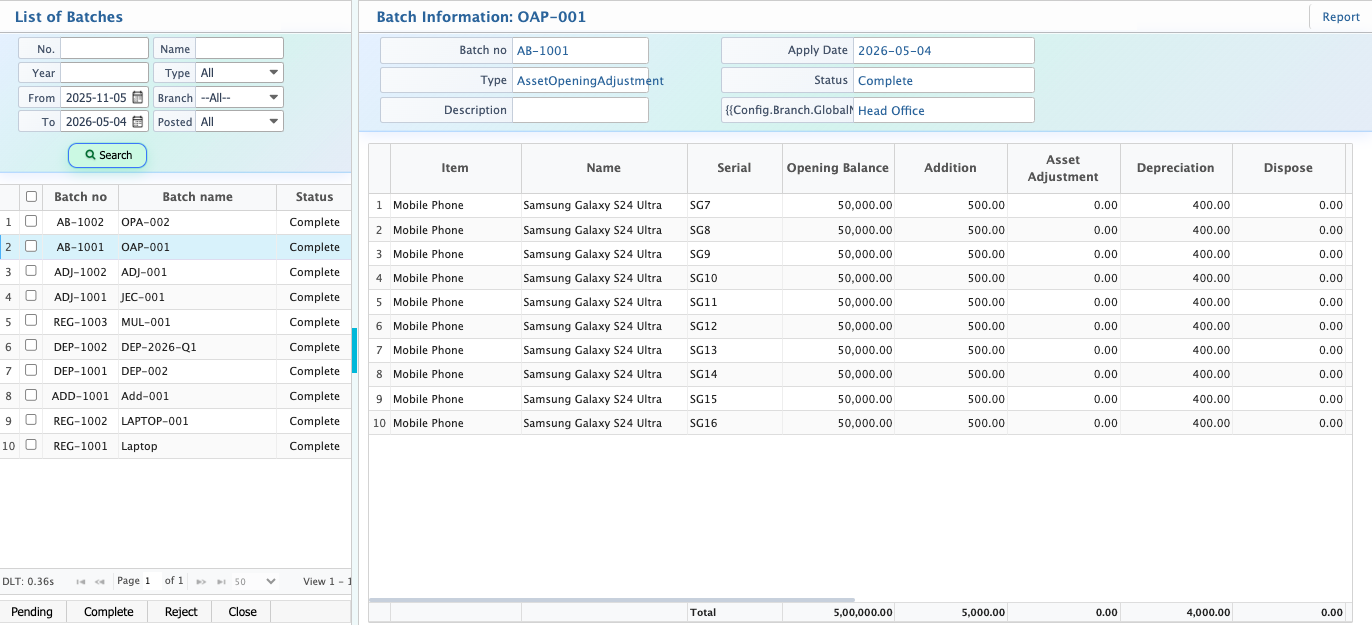
After adding an Asset Opening Product Adjustment, the batch becomes available in the list view, where users can review all opening adjustment records for asset products.
Each batch displays key values such as Opening Balance, Addition, and Depreciation, along with the total quantity. These values are automatically distributed among the total quantity, ensuring each unit reflects its proportional share of the total opening value and accumulated depreciation.
From the list, batches can be managed through statuses such as Pending, Completed, Rejected, or Closed. Editing is allowed only in Pending status to ensure corrections can be made before final processing. Once the status changes, the record becomes restricted based on its state to maintain data integrity.