Asset Depreciation
Asset Depreciation is the process of systematically reducing the value of a fixed asset over its useful life. It reflects usage, wear and tear, or aging of the asset and distributes its cost over a defined time period instead of expensing it all at once.In PrismERP, before creating Asset Depreciation, a depreciation batch is defined by selecting the fiscal year, date range, calculation method (day-wise or period-based), and the relevant asset hierarchy such as category, asset master, item, or product. This setup determines which assets will be included in the depreciation run.
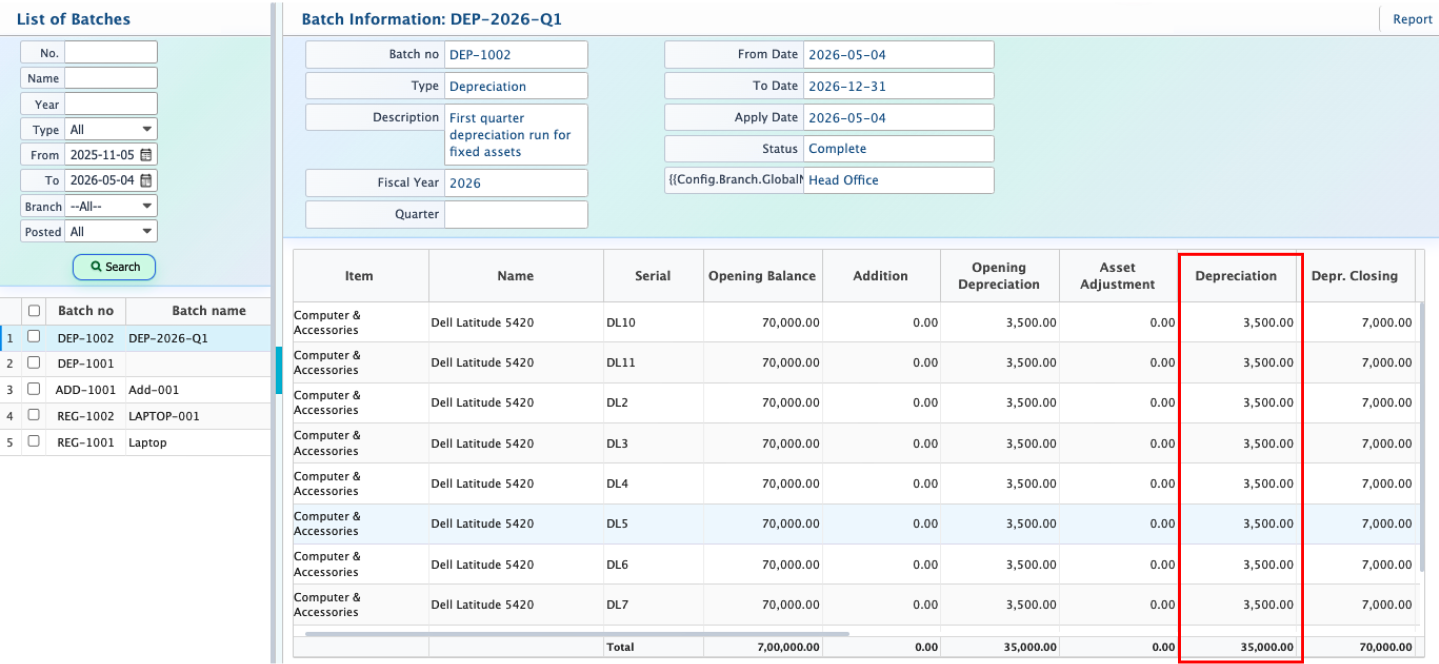
Once the batch is created, the system calculates depreciation based on the selected configuration and applies it to the relevant assets. The depreciation amount is then recorded, reducing the asset’s book value and updating accumulated depreciation for accounting and reporting purposes.
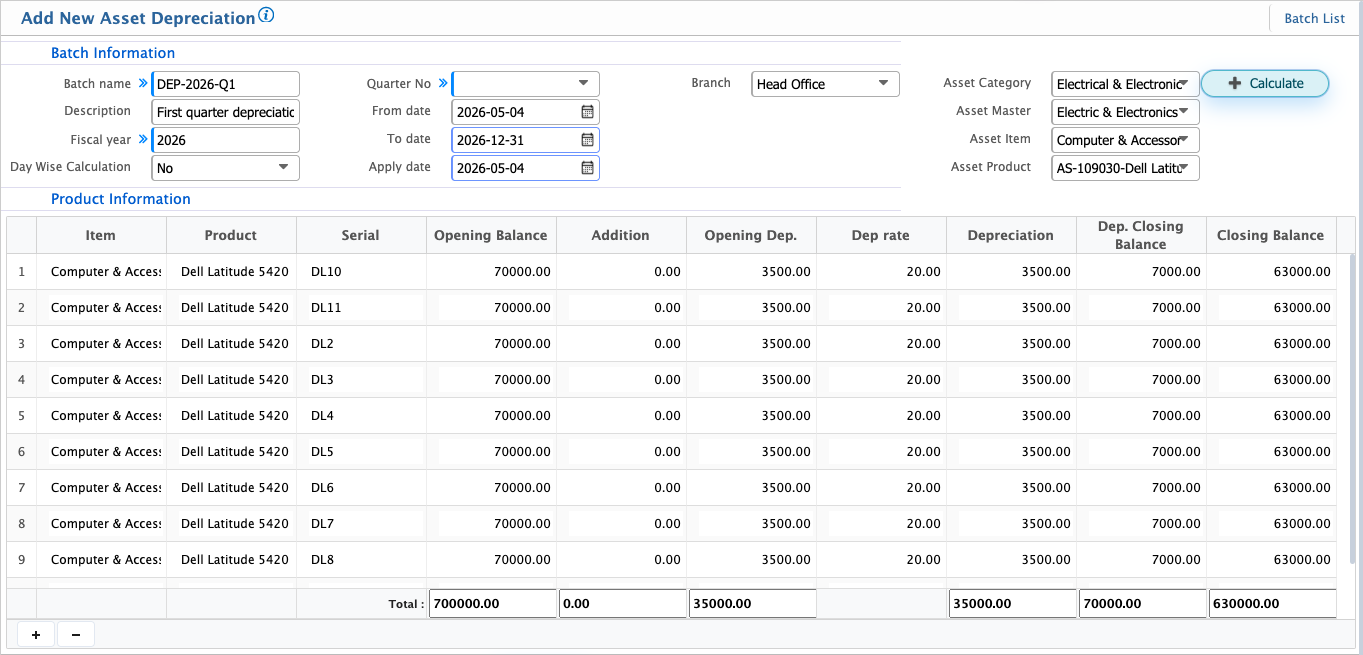
Add Asset Depreciation
| Field | Action |
|---|---|
| Batch Name | Enter a unique name to identify the depreciation batch |
| Description | Enter details about the depreciation run or purpose |
| Fiscal Year | Select the fiscal year for which depreciation will be calculated |
| Day Wise Calculation | Select whether depreciation should be calculated on a daily basis (Yes/No) |
| Quarter No | Select the quarter number if depreciation is calculated quarterly |
| From Date | Select the start date of the depreciation period |
| To Date | Select the end date of the depreciation period |
| Apply Date | Select the date when depreciation will be applied in the system |
| Branch | Select the branch or choose --All-- for all branches |
| Asset Category | Select the asset category for depreciation calculation |
| Asset Master | Select the related asset master |
| Asset Item | Select the specific asset item |
| Asset Product | Select the asset product for which depreciation will be processed |
After depreciation is calculated for the selected assets, the system automatically creates a Journal Voucher (JV) to record the accounting impact. This voucher includes both the depreciation expense and the corresponding accumulated depreciation entry for the related assets.
At this stage, the voucher remains in draft or pending status and does not impact financial records until it is approved. Once approved, it is posted to the general ledger.
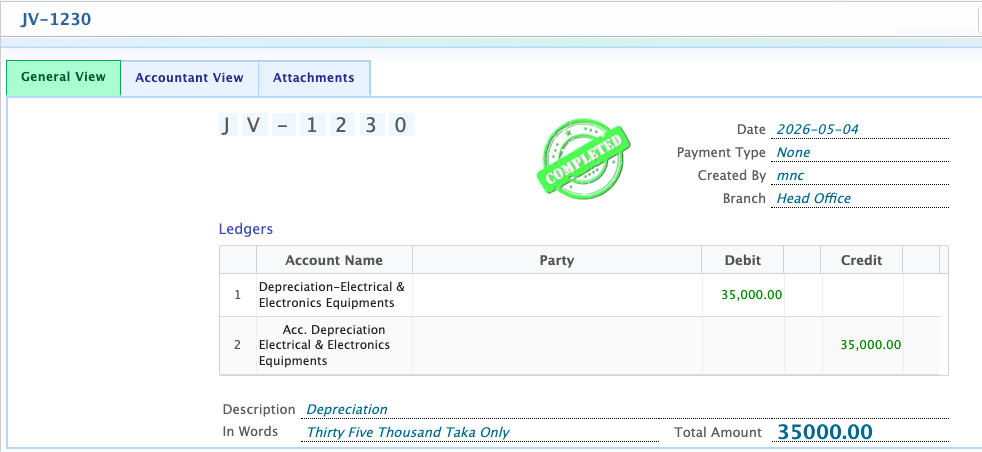
After approval, the system updates depreciation expense and accumulated depreciation accounts, reducing the net book value of the asset.
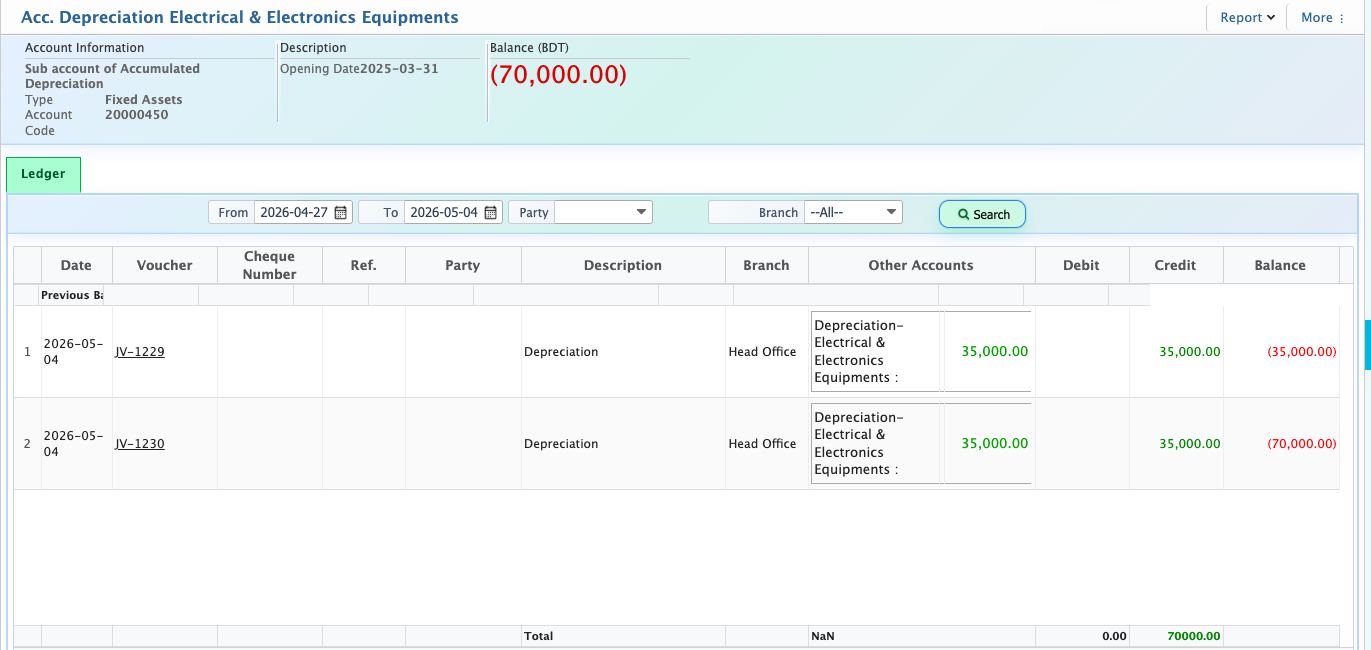
When the user navigates to Ledger Books, updated balances reflect the reduced asset value and properly recorded depreciation expense.