Asset Adjustment
Asset Adjustment is the process of correcting or updating the value, quantity, or details of an existing fixed asset to reflect its accurate condition in the system. It is used when changes such as valuation correction, error fixing, or reconciliation differences are identified after asset creation.Before creating an Asset Adjustment in PrismERP, a Journal Voucher (JV) is created to record the adjustment amount or correction entry related to the asset. This voucher acts as the financial reference for the adjustment process.
After the Journal Voucher is created and approved, Asset Adjustment is performed using the voucher reference. The system then applies the adjustment to the selected asset(s), updates their values accordingly, and ensures the corrected balance is reflected in both asset records and accounting books.
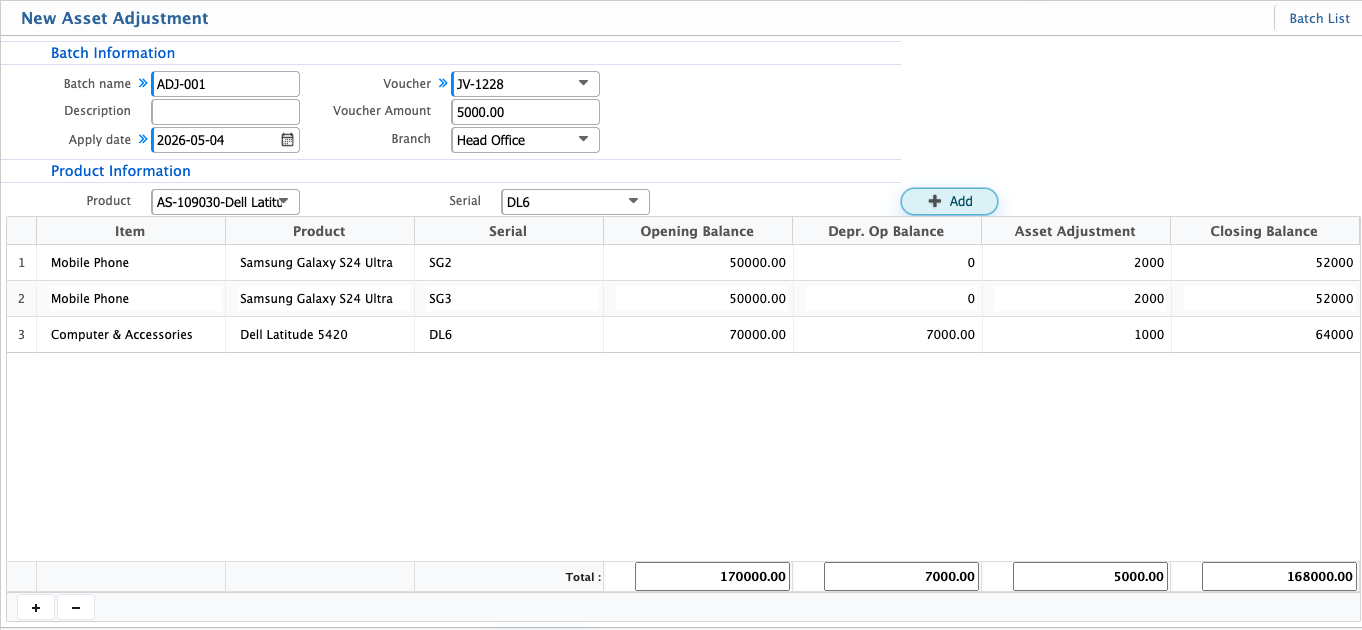
Add Asset Adjustment
| Field | Action |
|---|---|
| Batch Name | Enter a unique name to identify the asset adjustment batch |
| Description | Enter details explaining the reason for the asset adjustment |
| Apply Date | Select the date when the adjustment is applied |
| Voucher | Select the related Journal Voucher used for adjustment reference |
| Voucher Amount | Enter or view the total amount recorded in the voucher |
| Branch | Select a single branch where the asset adjustment will be applied |
| Product | Select the asset product to be adjusted |
| Serial | Select or enter the asset serial number |
| Adjustment | Enter the adjustment amount to be applied to the selected asset |
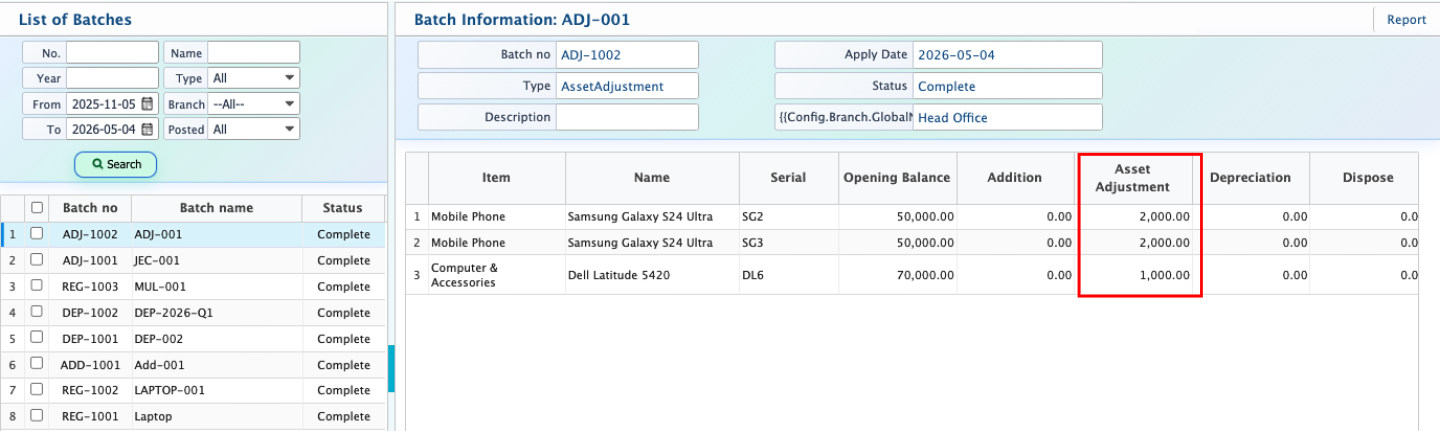
After adding an Asset Adjustment, it appears in the batch list where all created adjustment batches are displayed along with their current status.
Each batch can have different statuses such as Pending, Completed, Rejected, or Closed. Editing is allowed only while the batch is in Pending state, allowing corrections before final processing.
Once applied, the adjustment amount is added to the asset’s total value, updating its book value in the system and reflecting changes in asset records and accounting reports.