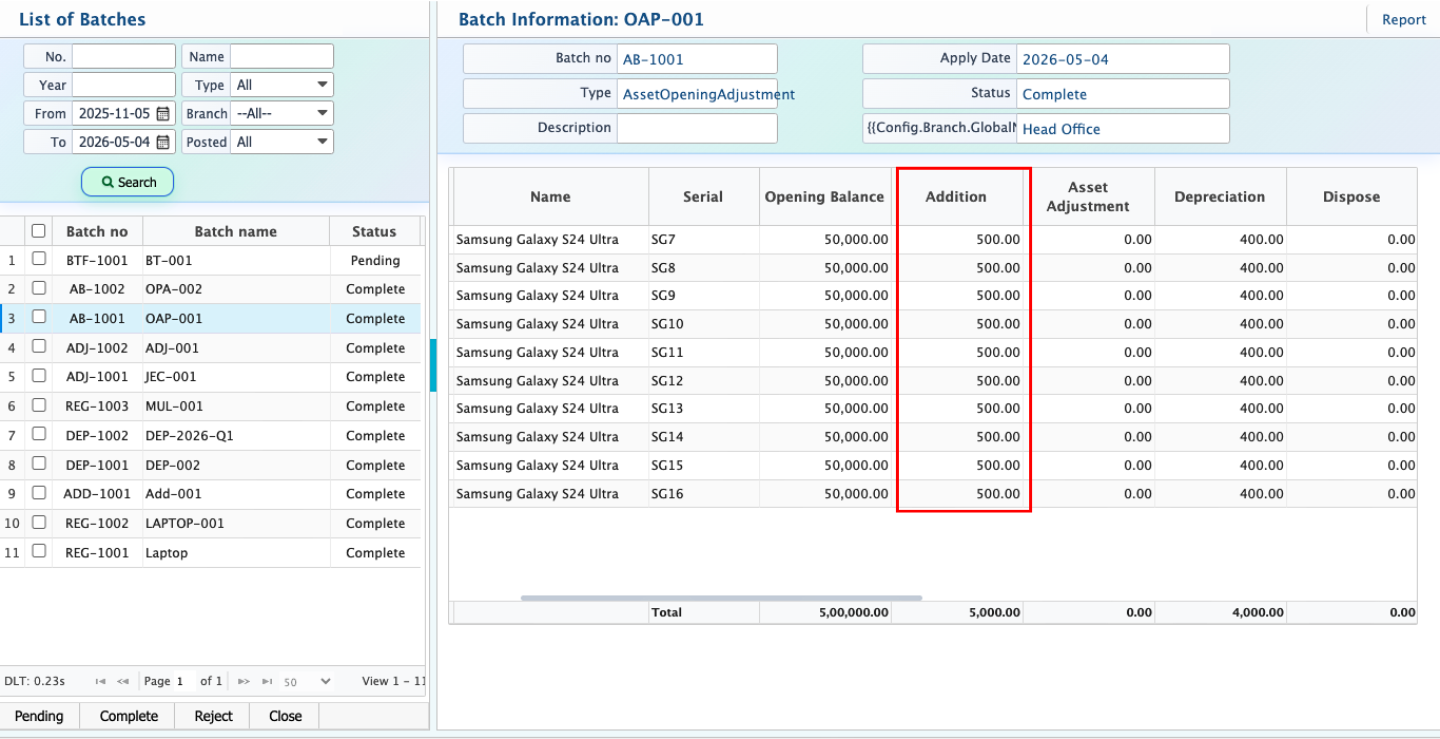
Asset Addition
Asset Addition is used when an existing fixed asset has additional costs after its initial purchase. These costs are not treated as new assets; instead, they are added to the existing asset and increase its total book value in the systemBefore creating an Asset Addition, a Journal Voucher (JV) is created to record the additional cost related to the asset, such as installation, setup, or enhancement expenses. This voucher acts as the financial reference for the additional entry.
After the Journal Voucher is approved, Asset Addition is created using the voucher reference. The system then distributes the additional amount to the selected asset(s), updates their value, and adjusts the closing balance for proper accounting and depreciation impact.
Add Asset Addition
| Field | Action |
|---|---|
| Batch Name | Enter a unique name to identify the asset addition batch |
| Description | Enter details of the addition such as installation, upgrade, or improvement cost |
| Apply Date | Select the date when the addition is applied to assets |
| Voucher | Select the related Journal Voucher used for asset addition reference |
| Branch | Select the branch where the asset addition is applied |
| Product | Select the asset product to which the addition cost will be allocated |
| Serial | Select the asset serial number |
| Addition | Enter the additional cost allocated to the asset |
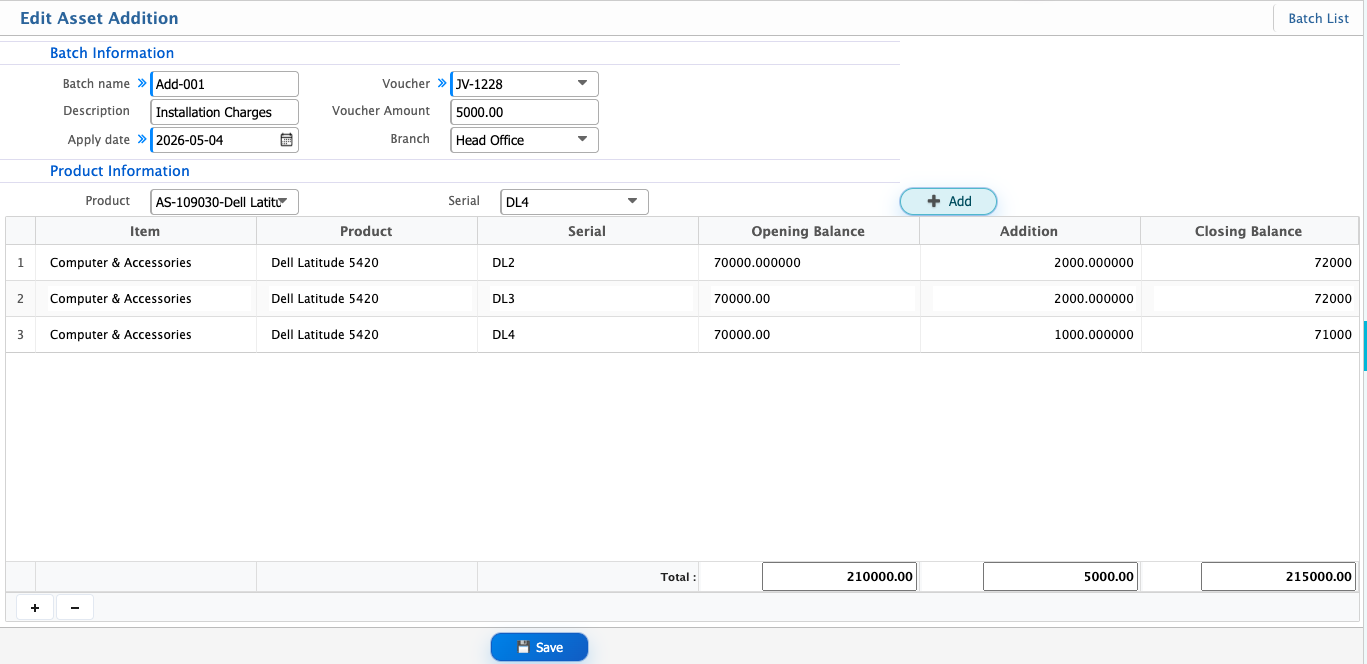
After adding an Asset Addition, it appears in the batch list where all created addition batches are displayed along with their current status.
Each batch can have different statuses such as Pending, Completed, Rejected, or Closed. Editing is allowed only while the batch is in Pending state, ensuring corrections can be made before final processing.
Once applied, the added amount is included in the asset’s total value, updating its book value in the system and reflecting changes in accounting records and reports.