Asset Registration
Asset Registration in PrismERP is the process of creating an asset batch in the system from approved asset records. It is used to group received or created asset items under a single batch for further processing, tracking, and management.Before Asset Registration, a Purchase Delivery (Goods Receipt) is created against the approved purchase order in PrismERP to confirm that the asset items have been physically received from the supplier. This delivery records received quantities, item condition, and related delivery details, and it must go through an approval process.After the Purchase Delivery is approved, PrismERP allows Asset Registration using the delivery voucher as a reference. During this process, an Asset Batch is created, grouping all related asset products under a single record. Once the Asset Batch is created, the system enables further processing such as asset assignment, depreciation, and lifecycle tracking.
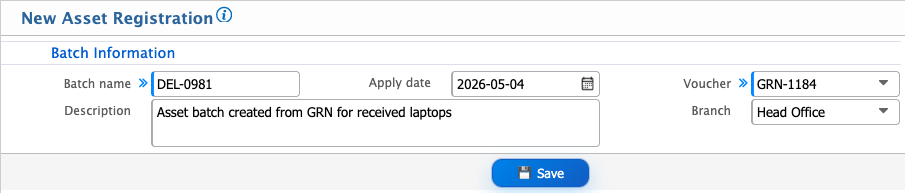
Add Asset Lot Registration
| Field | Action |
|---|---|
| Batch Name | Enter a unique name for the asset lot batch to identify it in the system. |
| Description | Enter a detailed description or purpose of the asset lot, including notes for reference. |
| Apply Date | Enter the date from which this asset lot registration will be effective. |
| Voucher | Select the voucher or document associated with this batch for accounting and record-keeping purposes. |
| Branch | Select the branch to which this asset lot belongs, or choose --All-- for organization-wide application. |
| Center | Select the operational center, if applicable, to allocate assets within a specific department or division. |
| Project | Select the project, if applicable, to associate these assets with a specific initiative or job. |
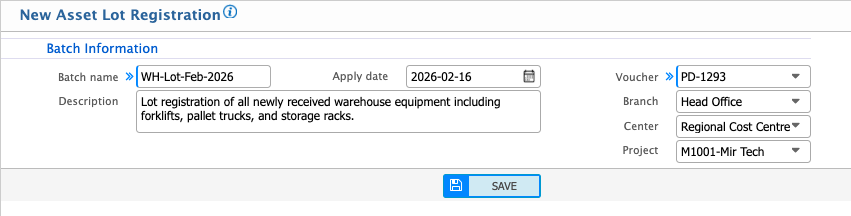
Existing Asset Registration
| Field | Action |
|---|---|
| Batch Name | Enter a unique name for the batch to identify the group of existing assets in the system. |
| Description | Enter a detailed description or notes about the batch, including the purpose of registration. |
| Apply Date | Enter the date from which the existing asset registration will be effective. |
| Project | Select the related project to associate these existing assets with a specific initiative or job. |
| Delivery In | Select the delivery reference number from which these assets were received. |
| Branch | Select the branch to which these assets belong, or choose --All-- for organization-wide registration. |
| Center | Select the operational center, if applicable, to allocate these existing assets within a specific department or division. |
