Attendance Device Management
The Attendance Device and Slab configuration module in PrismERP is used to manage attendance devices and define the rules for attendance calculation within the system. It allows configuration of devices by setting key details such as device type, machine, IP address, and status to ensure proper identification and connectivity. Once added, all devices are available in a centralized list where they can be searched, filtered, and updated as required.
This module also supports the setup of attendance slabs to define how attendance conditions like late arrival, early out, missing punch, and absence are calculated. These rules are configured using defined start and end ranges with corresponding counts. After setup, all slabs are displayed in a list where they can be reviewed, filtered, and modified as needed for accurate attendance processing in PrismERP.
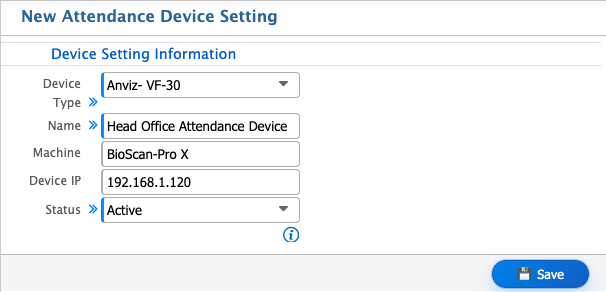
Add New Device
| Field | Action |
|---|---|
| Device Type | Select the type of attendance device (e.g., Anviz- VF-30) from the available list. |
| Name | Enter a unique name for the device for easy identification. |
| Machine | Select the associated machine or device identifier from the list. |
| Device IP | Enter the IP address of the attendance device to establish connection. |
| Status | Set the device status as Active or Inactive depending on usage. |
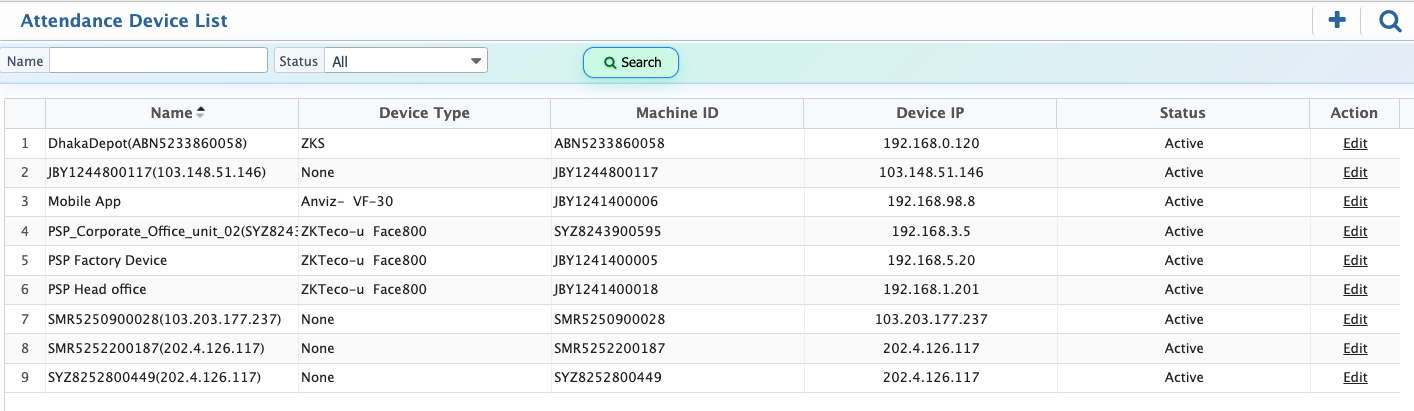
After adding a device, it appears in the Device List where all configured devices are displayed along with their name, machine ID, IP address, and status. Users can easily search and filter the list to find a specific device. The device information remains fully editable at any time, and the status can be updated from Active to Inactive whenever required.
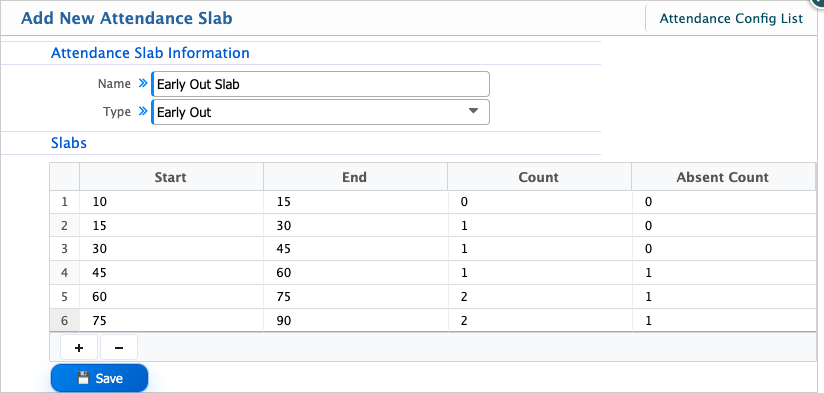
Add Attendance Slab
| Field | Action |
|---|---|
| Name | Enter a unique name for the attendance slab. |
| Type | Select the attendance slab type. |
| Slabs | Section header for defining slab rules. |
| Start | Enter the starting limit of the slab. |
| End | Enter the ending limit of the slab. |
| Count | Enter how many times this slab condition is counted. |
| Absent Count | Enter the absent count value (e.g., 1 for marking one absence unit). |
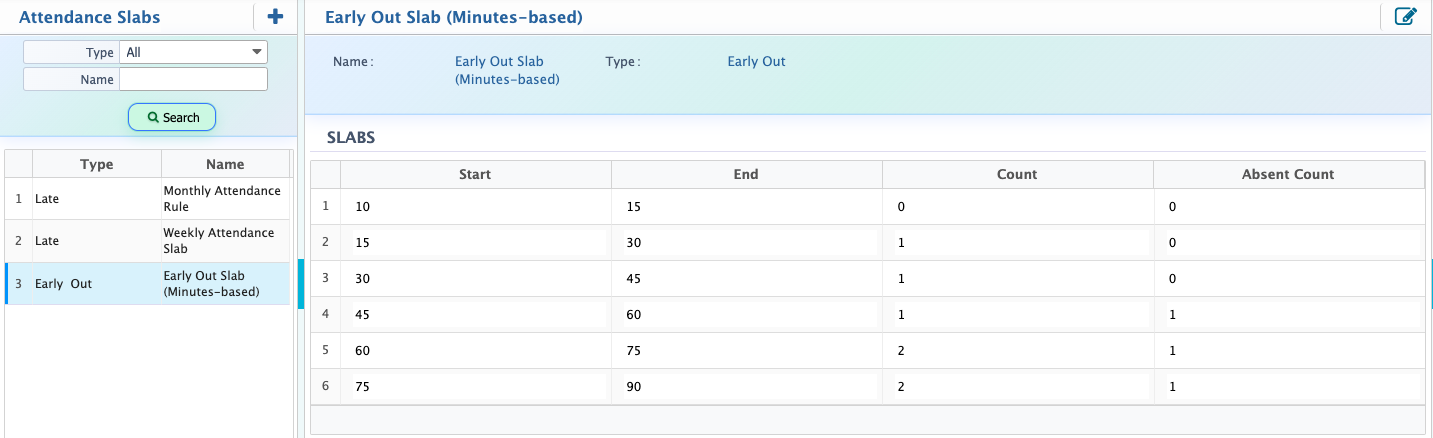
After adding attendance slabs, users can view all configured slabs in the Slab List. This list displays the slab details based on their type such as Late, Early Out, Missing Punch, or Absent along with their defined start and end values, count, and absent count rules. Users can easily search and filter the list to find specific slab configurations. Each slab entry can be edited at any time if adjustments are needed.