Device Data Integration
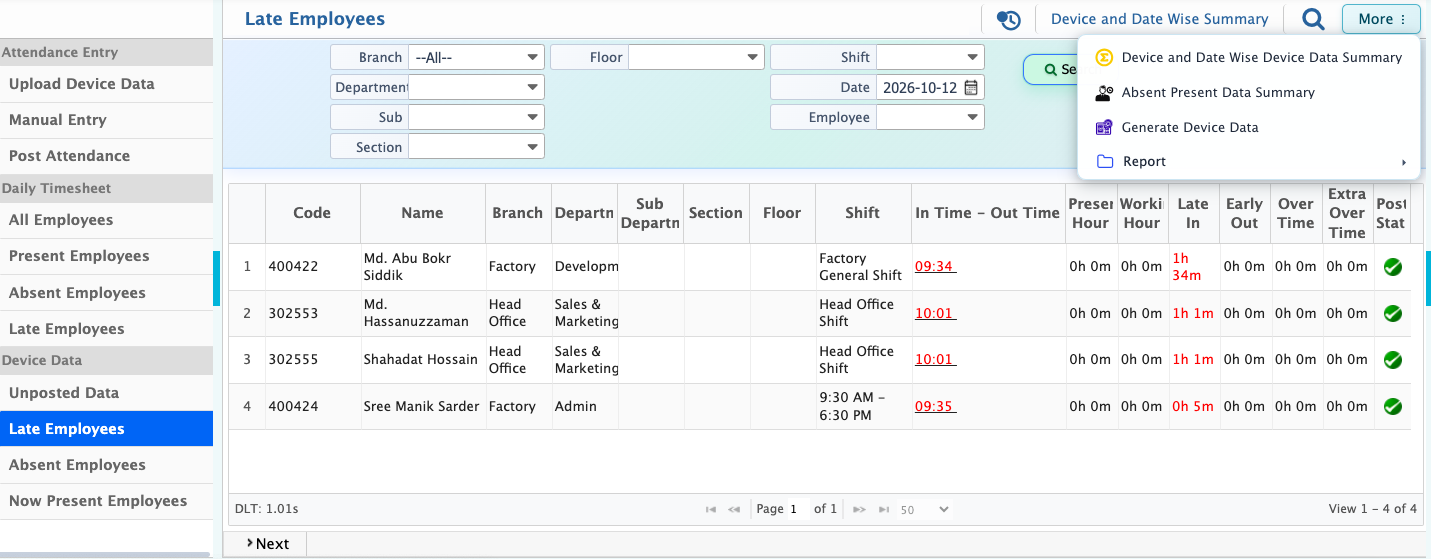
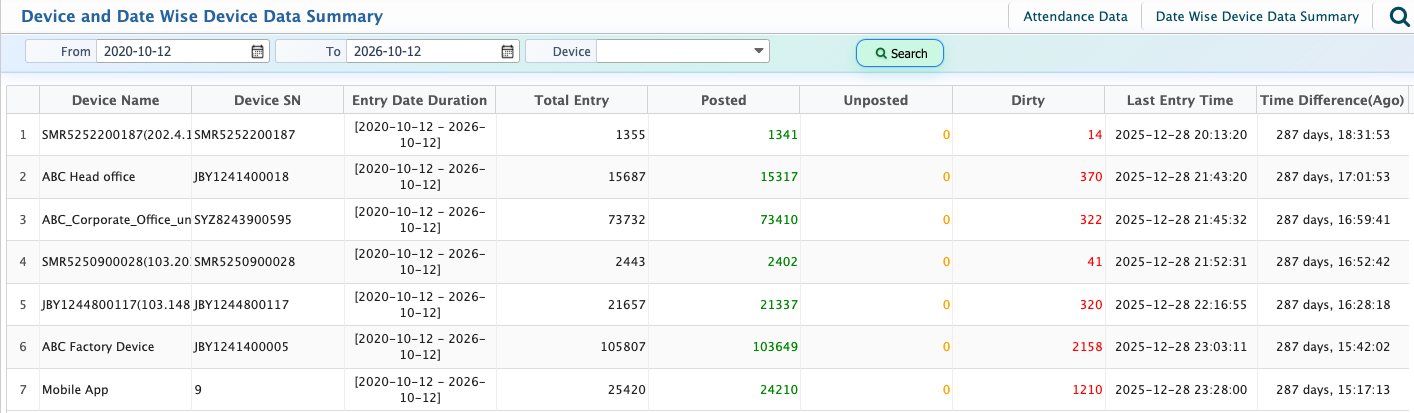
The Device Data in PrismERP provides overview of attendance records, including present employees, absent employees, and unposted data. It allows users to filter records by device and date for easier tracking and review. From here, different attendance reports such as present, absent, and late can also be previewed and generated based on device data.
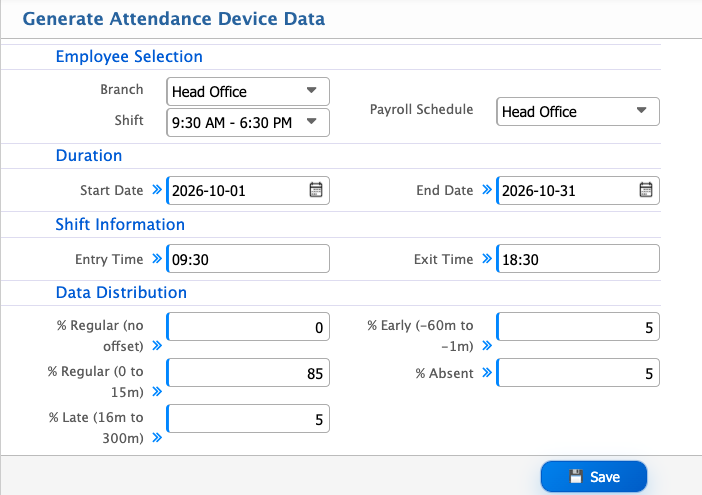
The Generate Attendance Device Data feature is used to automatically create attendance records based on employee selection, shift, payroll schedule, and defined date range. It also applies data distribution rules to control how attendance is generated, including regular, late, early, and absent patterns.
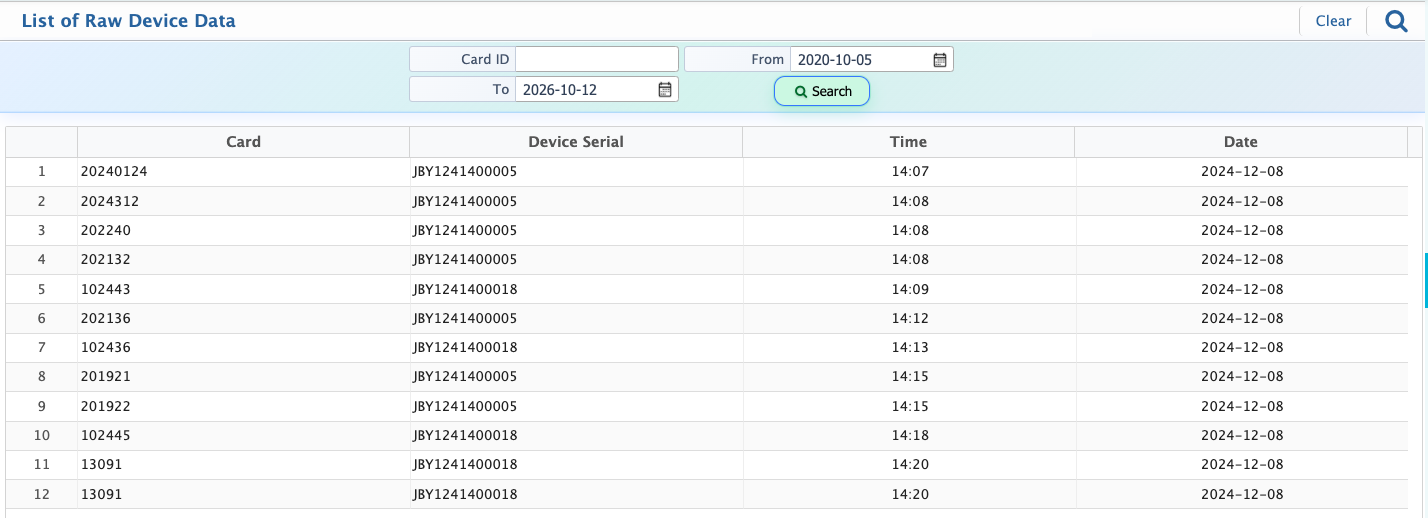
After generation, all records are shown in a raw data view with details like entry date, entry time, card ID, employee, machine ID, created date, and post status. Users can review the full dataset and download it when needed for reporting, backup, or further processing.
Generate Attendance Device Data
| Field | Action |
|---|---|
| Employee List | Select or view the list of employees for attendance generation. |
| Branch | Filter employees by branch or select all branches. |
| Shift | Select the shift for which attendance data will be generated. |
| Payroll Schedule | Select the payroll cycle used for attendance generation. |
| Duration Start Date | Enter the start date of the attendance generation period. |
| Duration End Date | Enter the end date of the attendance generation period. |
| Shift Entry Time | Define the standard shift start time. |
| Shift Exit Time | Define the standard shift end time. |
| Data Distribution – Regular (no offset) | Set percentage for on-time attendance records. |
| Data Distribution – Regular (0 to 15 min) | Set percentage for slight deviation within regular attendance. |
| Data Distribution – Late (16 to 300 min) | Set percentage for late attendance records. |
| Data Distribution – Early (-60 to -1 min) | Set percentage for early exit records. |
| Data Distribution – Absent | Set percentage for absent attendance records. |
After generating attendance device data, users can view the full raw attendance list in the system. This list includes details such as Entry Date, Entry Time, Card ID, Employee, Machine ID, Created date, and Posted status, giving a complete overview of all generated records. Users can also download the raw data for reporting, backup, or further processing whenever needed.