Daily Timesheet
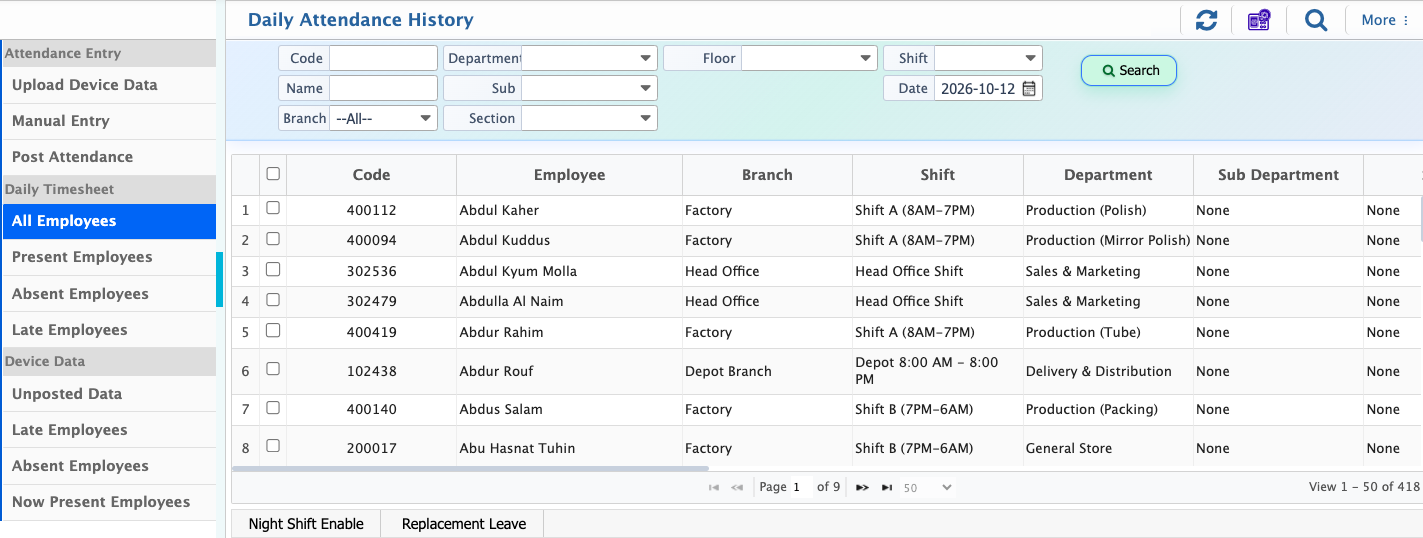
The Daily Time Sheet in PrismERP brings all employee attendance for a selected day into one clear view. It shows key details like in-time, out-time, late arrival, early out, overtime, shift, and other related records so daily attendance can be checked without going through multiple screens.
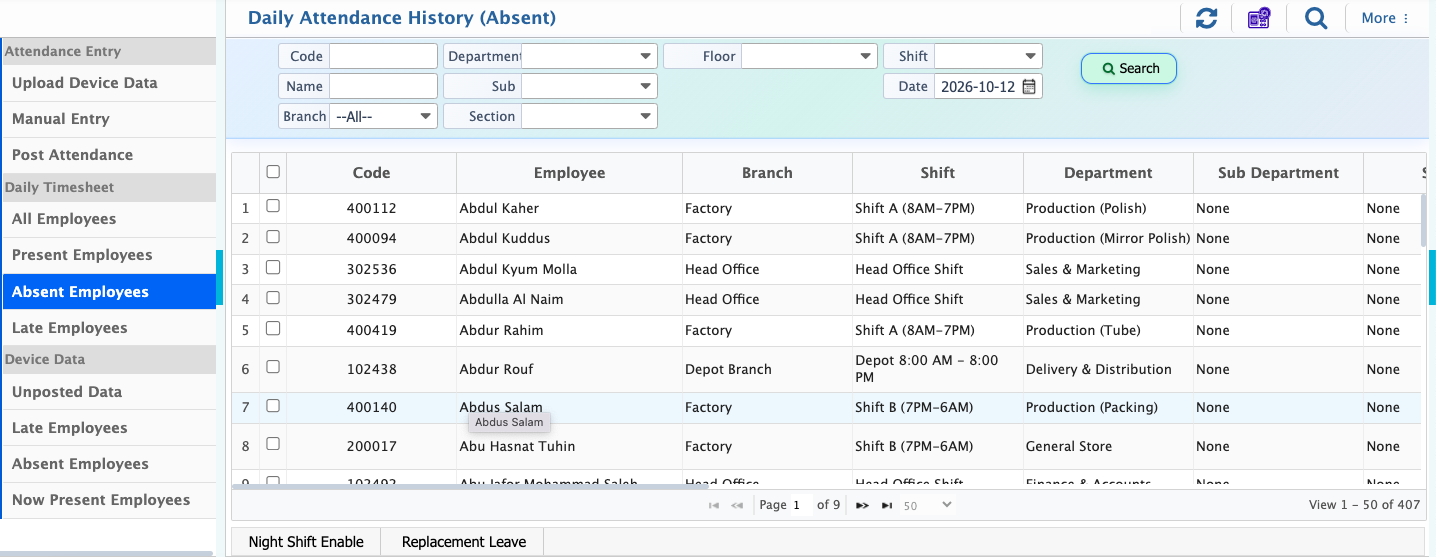
Night shift tracking can be enabled when required, and replacement leave can be assigned from the same view. A search panel is also available to quickly find specific employees or records. Separate sections are provided to easily check present, late, and absent employees for the day.
In the Daily Time Sheet, users can view all employees’ attendance information at once along with their detailed records. This includes in-time, out-time, late status, early out, overtime, shift, and other attendance-related details. The system also allows users to enable night shift tracking and assign replacement leave where applicable. Additionally, a search panel is available to quickly find specific attendance records based on employee or other filters, making it easier to manage and review daily attendance data.
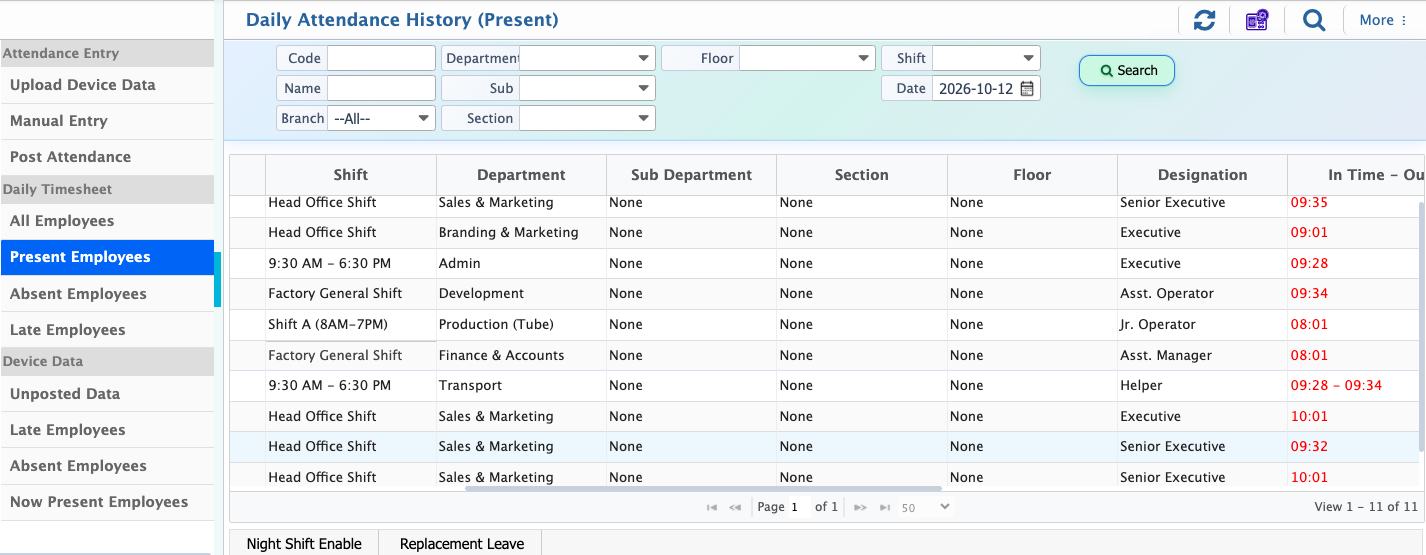
In the Present Daily Time Sheet, users can view all employees’ attendance for a selected day along with their details like in-time, out-time, late, early out, overtime, and shift information. They can also see who is present, enable night shift tracking, assign replacement leave when needed, and use the search panel to quickly find specific records.
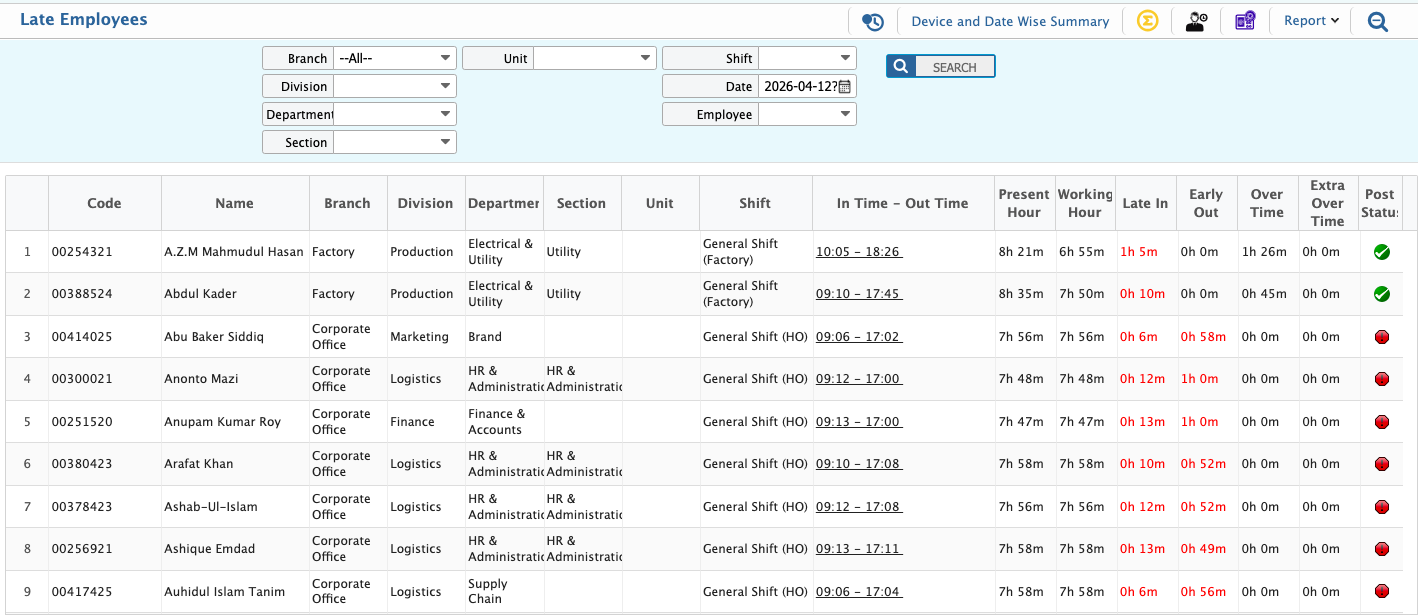
The Daily Time Sheet also shows a separate view of employees who arrived late on a selected day, along with their in-time, out-time, late duration, overtime, and shift details.